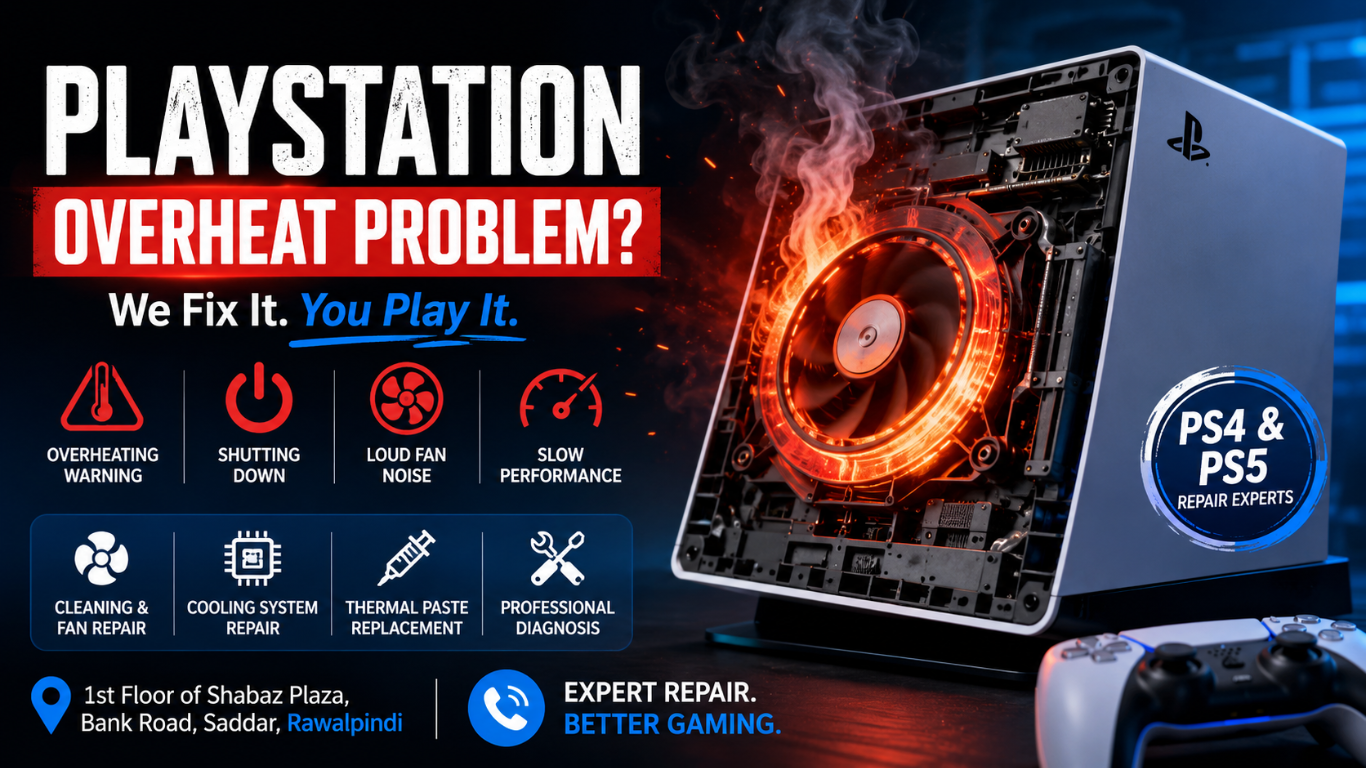
A PlayStation is designed to deliver smooth gaming performance for hours, but excessive heat can cause a serious PlayStation Overheat Problem. Many gamers in Rawalpindi experience situations where their PlayStation overheats, displays overheating warnings, produces loud fan noise, or suddenly shuts down during gameplay. These issues can affect both PS4 and PS5 consoles and should never be ignored.
Overheating is often caused by dust accumulation, blocked air vents, worn thermal paste, cooling fan issues, or internal hardware faults. If left unresolved, excessive heat can damage critical components on the motherboard and shorten the console’s lifespan.
For gamers in Rawalpindi, professional diagnosis and repair can restore proper cooling performance and prevent costly damage. If your PlayStation is running hotter than normal, addressing the issue early is the best way to protect your investment and enjoy uninterrupted gaming.
Why Is My PlayStation Overheating?
Many PlayStation owners wonder why their console suddenly becomes hot even when used normally. Several factors can contribute to overheating:
Dust Buildup
Dust is one of the most common reasons for overheating. Over time, dust accumulates inside the console and blocks airflow through the cooling system. This forces the fan to work harder while reducing its ability to remove heat effectively.
Blocked Air Vents
A PlayStation requires proper airflow around all ventilation openings. Placing the console inside a cabinet, against a wall, or near other electronic devices can restrict airflow and trap heat.
Faulty Cooling Fan
The cooling fan moves hot air out of the console. If the fan becomes damaged, clogged, or stops spinning correctly, internal temperatures can rise quickly.
Dried Thermal Paste
Thermal paste helps transfer heat from the processor to the heatsink. Over time, the paste can dry out and lose effectiveness, causing temperatures to increase significantly.
Heavy Gaming Sessions
Modern games place significant demands on the CPU and GPU. Extended gaming sessions without proper cooling can generate substantial heat, especially in warmer environments.
Internal Hardware Issues
Certain motherboard problems, power supply faults, or damaged cooling components may also contribute to overheating.
Signs of an Overheating PlayStation
Recognizing the warning signs early can help prevent permanent damage.
Common symptoms include:
- Excessive heat coming from the console
- Loud fan noise
- Random shutdowns during gameplay
- Performance drops and lag
- Overheating warning messages
- Console restarting unexpectedly
- Game crashes and freezes
- Burning smell from vents
- The fan is running at maximum speed continuously
If you notice any of these symptoms, professional inspection is recommended.
PlayStation Overheating and Shutting Down
One of the most frustrating issues gamers face is a PlayStation overheating and shutting down unexpectedly. This usually occurs when the internal temperature reaches a critical level.
The system automatically powers off to protect sensitive components from damage. While this safety feature helps prevent hardware failure, repeated shutdowns indicate that the cooling system is not functioning properly.
Possible causes include:
- Severe dust accumulation
- Failed cooling fan
- Blocked ventilation
- Damaged heatsink
- Thermal paste deterioration
- Internal motherboard faults
Ignoring repeated shutdowns may eventually lead to permanent damage that requires more extensive repairs.
PS5 Overheating Fix
The PlayStation 5 is a powerful gaming console that generates significant heat during operation. Although Sony designed the PS5 with an advanced cooling system, overheating issues can still occur.
Common PS5 Overheating Causes
- Dust inside cooling channels
- Damaged cooling fan
- Poor ventilation
- Faulty liquid metal thermal interface
- High ambient room temperature
- Internal hardware problems
Professional PS5 Overheating Fix
A professional repair process typically includes:
- Complete internal inspection
- Deep dust cleaning
- Fan testing
- Cooling system diagnosis
- Thermal interface evaluation
- Airflow optimization
- Performance testing
After servicing, the PS5 can operate at safer temperatures and provide more stable gaming performance.
PS4 Overheating Solution
The PlayStation 4 is known to develop overheating issues after years of use. Dust accumulation and thermal paste aging are among the most common causes.
Symptoms of PS4 Overheating
- Loud fan noise
- Excessive heat
- Slow performance
- Automatic shutdowns
- System warnings
Effective PS4 Overheating Solution
Professional technicians can resolve PS4 overheating through:
- Internal cleaning
- Fan maintenance
- Thermal paste replacement
- Heatsink cleaning
- Cooling system optimization
- Hardware diagnostics
These procedures help restore proper airflow and improve thermal performance.
PlayStation Fan Noise Repair
A noisy PlayStation fan often indicates an underlying cooling problem. Many users mistakenly assume fan noise is normal, but excessive noise usually means the cooling system is struggling to maintain safe temperatures.
Causes of Loud Fan Noise
- Dust-clogged fan blades
- Restricted airflow
- High internal temperatures
- Worn fan bearings
- Damaged cooling fan
- Thermal paste issues
Benefits of PlayStation Fan Noise Repair
Professional fan repair can:
- Reduce noise levels
- Improve airflow
- Lower operating temperatures
- Prevent overheating
- Extend console lifespan
A properly functioning fan should provide efficient cooling without excessive noise.
PlayStation Cooling System Repair
The cooling system is one of the most important parts of any PlayStation console. When cooling components fail, temperatures can rise rapidly, affecting performance.
Components of the Cooling System
- Cooling fan
- Heatsink
- Air vents
- Thermal paste
- Temperature sensors
- Airflow channels
Signs You Need Cooling System Repair
- Frequent overheating
- Loud fan operation
- Sudden shutdowns
- Persistent warning messages
- Heat builds up during light gaming
Professional PlayStation Cooling System Repair helps restore efficient heat management and protects internal components from thermal damage.
PlayStation Thermal Paste Replacement
Thermal paste plays a critical role in transferring heat away from the processor. As it ages, it can dry out, crack, or lose effectiveness.
Why Thermal Paste Matters
Without proper thermal transfer, heat remains trapped around the CPU and GPU, leading to higher temperatures and reduced performance.
Signs Thermal Paste Needs Replacement
- Increased fan noise
- Rising temperatures
- Frequent overheating
- Reduced gaming performance
- Unexpected shutdowns
Benefits of Thermal Paste Replacement
- Lower temperatures
- Better cooling efficiency
- Reduced fan noise
- Improved stability
- Longer hardware lifespan
Replacing thermal paste is one of the most effective solutions for aging PlayStation consoles.
PlayStation Repair Near Me in Rawalpindi
When searching for PlayStation Repair Near Me, it is important to choose technicians experienced in advanced console diagnostics and microsoldering-level repairs.
A professional repair service should provide:
- Accurate fault diagnosis
- Component-level repairs
- Cooling system inspection
- Fan replacement services
- Thermal paste replacement
- Performance testing
- Preventive maintenance
Gamers across Rawalpindi trust professional repair services to restore their consoles and prevent future overheating.
PlayStation Overheating Repair Service in Rawalpindi
A professional PlayStation Overheating Repair Service can identify the root cause of overheating and implement the appropriate solution. Every console is thoroughly diagnosed before repairs are performed.
Services may include:
- Internal cleaning
- Fan repair or replacement
- Cooling system servicing
- Thermal paste replacement
- Motherboard diagnostics
- Airflow restoration
- Performance testing
Whether you own a PS4 or PS5, professional servicing can significantly improve cooling performance and gaming reliability.
Why Choose Microsoldering Repairs for PlayStation Overheating Issues?
Complex overheating problems may involve more than dust or thermal paste. In some cases, damaged components on the motherboard require advanced microsoldering expertise.
Professional Microsoldering Repairs can help resolve:
- Power-related faults
- Temperature sensor issues
- Motherboard damage
- Short circuits
- Component failures
Advanced repair techniques can often restore consoles that might otherwise be considered beyond repair.
Visit Our Rawalpindi Service Center
If your PlayStation is overheating, shutting down unexpectedly, or producing excessive fan noise, professional assistance can help restore optimal performance.
Address:
1st Floor of Shabaz Plaza, Bank Road, Saddar, Rawalpindi
Experienced Microsoldering Service Centers provide advanced diagnostics, cooling system repairs, thermal paste replacement, fan servicing, and motherboard-level solutions for PlayStation consoles.
See Also: PlayStation 5 HDMI Port Repair in Rawalpindi
FAQs
Why does my PlayStation keep overheating?
Dust buildup, locked airflow, cooling fan issues, and degraded thermal paste are the most common causes.
Can overheating permanently damage a PlayStation?
Yes. Continued overheating can damage internal components and shorten console life.
How often should a PlayStation be cleaned?
Most consoles benefit from professional cleaning every 12 to 18 months, depending on usage and environment.
Does thermal paste replacement help?
Yes. Fresh thermal paste improves heat transfer and can significantly reduce operating temperatures.
Why is my PlayStation fan so loud?
The fan may be compensating for excessive heat caused by dust, airflow restrictions, or cooling system issues.
Where can I get PlayStation overheating repair in Rawalpindi?
Professional Microsoldering Service Center, located on the 1st Floor of Shabaz Plaza, Bank Road, Saddar, Rawalpindi, providing diagnostics and repair solutions for PS4 and PS5 issues and problems