
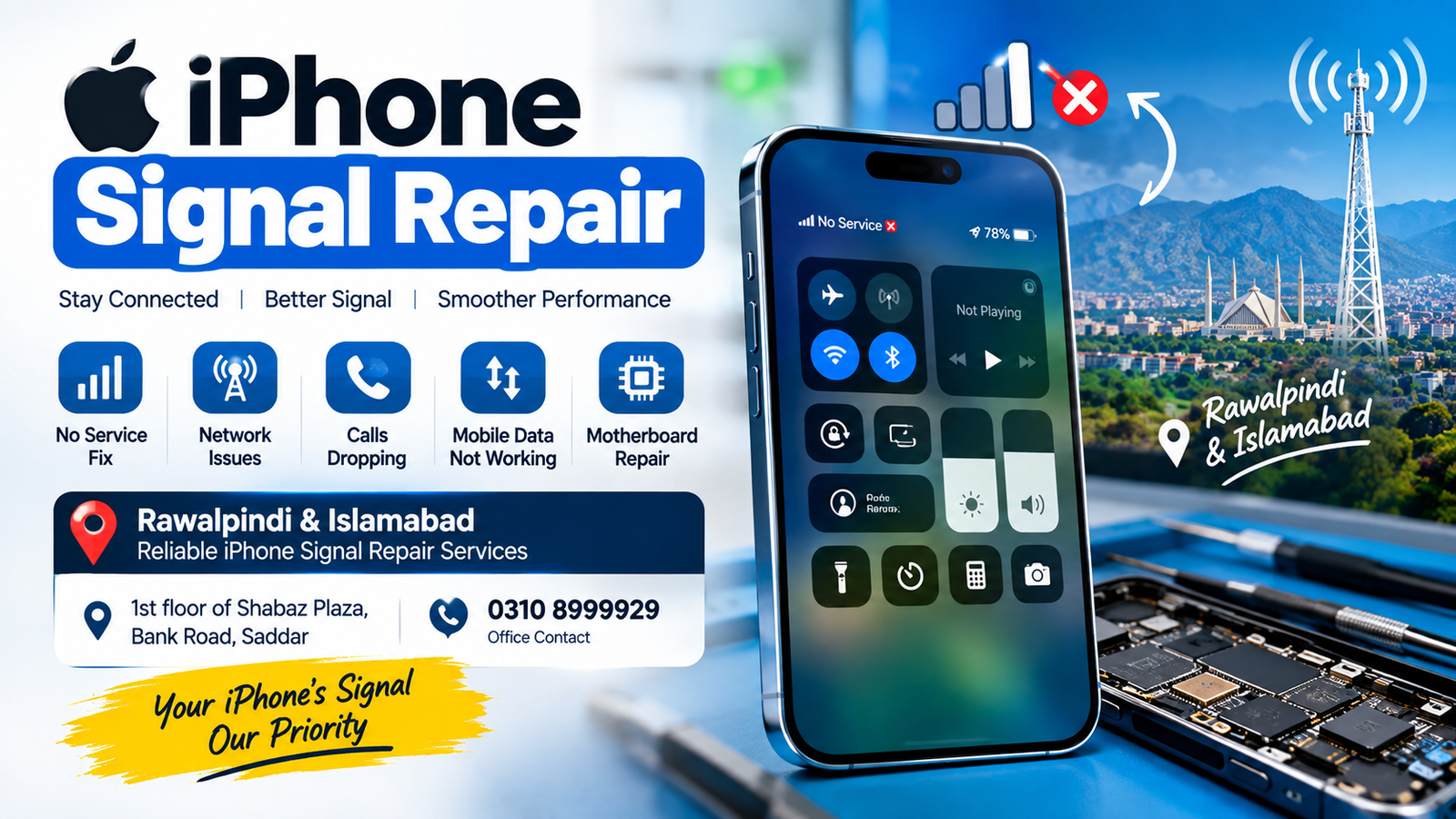
If your iPhone is showing No Service, weak signals, unstable network reception, or difficulty connecting to a mobile network, professional iPhone Signal Repair may be required. Signal problems can affect calls, SMS, mobile data, and other network-dependent services. In some cases, the issue is caused by software or SIM-related problems, while in other cases, a hardware fault on the iPhone motherboard or cellular network section may need microsoldering-level repair.
For customers in Rawalpindi and Islamabad, professional microsoldering repair services can help diagnose complicated iPhone network and signal problems. The repair process should begin with proper testing so the actual cause can be identified before any component-level repair is attempted.
Office Address: 1st floor of Shabaz Plaza, Bank Road, Saddar
Office Contact: 0310 8999929
Service Area: Rawalpindi & Islamabad
What Is iPhone Signal Repair?
iPhone Signal Repair refers to the diagnosis and repair of problems that prevent an iPhone from receiving or maintaining a cellular network signal. A signal problem can appear in different ways depending on the underlying fault.
Common symptoms include:
- No Service
- Searching for network continuously
- Weak cellular signal
- Network disappearing randomly
- Calls dropping frequently
- Mobile data not working
- SIM detected but no network
- Network working intermittently
- Unable to register on a cellular network
- Emergency calls only
- Cellular signal disappearing after a drop or repair
- Signal problems after water or liquid exposure
An iPhone signal problem does not always mean that the antenna is damaged. The issue may involve the SIM card, software, antenna connection, network-related components, motherboard circuitry, or other hardware.
Common Causes of iPhone Signal Problems
There are several reasons why an iPhone may suddenly lose its cellular signal. Identifying the correct cause is an important part of iPhone Signal Repair.
1. SIM Card Problems
A damaged, inactive, or improperly inserted SIM card can cause network problems. Before assuming there is a motherboard fault, the SIM should be tested in another compatible device.
If another SIM works correctly in the iPhone, the problem may be related to the original SIM or account rather than the phone itself.
2. Network Provider Problems
Temporary network outages, coverage limitations, account restrictions, or network maintenance can also produce signal-related symptoms.
Testing the iPhone in another location and with another SIM can help determine whether the problem is related to the network provider.
3. Software Issues
An iPhone may experience cellular connectivity problems because of software bugs, incorrect network settings, or an unsuccessful update.
Network settings can sometimes be reset to eliminate configuration-related problems. However, repeated signal loss after software troubleshooting may indicate a hardware-related issue.
4. Antenna Damage
The antenna system allows the iPhone to communicate with cellular networks. Physical damage, loose connections, corrosion, or internal damage can affect signal reception.
A technician can inspect the relevant connections and components during an iPhone Signal Repair diagnosis.
5. Motherboard Damage
The iPhone motherboard contains multiple components responsible for cellular communication. Physical impact, liquid exposure, overheating, previous repair work, or electrical damage can affect these circuits.
When a motherboard-level fault is identified, microsoldering expertise may be necessary.
6. Previous Repair Damage
An iPhone that has previously been opened may develop network problems because of damaged components, missing parts, poor connections, or accidental board damage.
Professional inspection can help determine whether previous repair work is related to the current signal issue.
iPhone Signal Repair for No Service Problems
One of the most common cellular problems is No Service. When an iPhone displays No Service, it cannot establish a normal connection with the cellular network.
The first step should be determining whether the problem is caused by:
- SIM card issues
- Network coverage
- Account or carrier restrictions
- Software configuration
- Antenna problems
- Cellular hardware
- Motherboard circuitry
Because several different problems can produce the same No Service message, replacing random components is not always an appropriate solution.
A proper iPhone Signal Repair diagnosis can help identify the actual fault before repair work begins.
iPhone Signal Repair for Weak Reception
Some iPhones continue to show a network signal but have unusually weak reception. You may notice that the signal becomes unstable inside buildings, calls drop frequently, or mobile data becomes extremely slow.
Weak signal can have several causes. Local network coverage should first be considered. If other phones using the same network work normally in the same location, the iPhone itself may require further testing.
A technician can inspect the antenna system and relevant cellular circuitry to determine whether hardware repair is appropriate.
iPhone Signal Repair After a Drop
An iPhone that worked normally before being dropped may develop network problems afterward.
A physical impact can potentially affect:
- Antenna connections
- Board connections
- Small components
- Solder joints
- Connectors
- Cellular circuitry
Sometimes the phone may appear physically normal even though an internal component has been damaged.
For this reason, an iPhone with signal problems after physical impact should be professionally diagnosed rather than repeatedly restarted or reset.
iPhone Signal Repair After Water Damage
Liquid exposure can create corrosion and electrical problems inside an iPhone. Cellular components and board connections may be affected even when the phone initially appears to work.
If signal problems begin after water or liquid exposure, continuing to use the device without inspection may allow corrosion to progress.
Professional iPhone Signal Repair may involve board inspection, cleaning, component testing, and microsoldering where appropriate.
Can Microsoldering Fix iPhone Signal Problems?
Microsoldering can be useful when an iPhone signal problem is caused by a damaged board-level component, connection, or solder-related fault.
Unlike basic replacement repairs, microsoldering involves working with very small electronic components and connections on the motherboard.
The exact repair depends on the diagnosed fault. Not every signal problem requires microsoldering, so proper testing should come before board-level repair.
iPhone Signal Repair in Rawalpindi
Customers looking for iPhone Signal Repair in Rawalpindi can visit the service location at:
1st floor of Shabaz Plaza, Bank Road, Saddar
The location is in the Saddar area of Rawalpindi and can serve customers experiencing different iPhone cellular connectivity problems.
Before visiting, customers can contact the office at:
When contacting the office, it can be helpful to explain the exact symptom, such as No Service, weak signal, network searching, SIM detection problems, or signal loss after physical damage.
iPhone Signal Repair in Islamabad
Customers from Islamabad can also seek professional iPhone Signal Repair services in the Rawalpindi-Saddar area.
Rawalpindi and Islamabad are closely connected, making Saddar a practical service location for customers traveling from different parts of the twin cities.
If your iPhone has a persistent network problem, professional diagnosis can help determine whether the problem is related to the SIM, carrier, software, antenna, or motherboard.
Common iPhone Signal Symptoms
Different symptoms can point toward different possible causes. Some common symptoms include:
iPhone Says No Service
The device cannot establish a normal cellular connection.
iPhone Keeps Searching
The phone continuously searches for a network but does not successfully connect.
Signal Appears and Disappears
An unstable connection may indicate an intermittent issue that requires detailed testing.
Mobile Data Is Not Working
If calls and SMS work but mobile data does not, the issue may involve network configuration, carrier settings, SIM problems, or hardware.
Calls Drop Frequently
Repeated call drops may be related to weak coverage, network problems, or an issue with the phone’s cellular system.
SIM Works but Signal Does Not
If a known-working SIM is detected by the iPhone but there is no cellular connection, further diagnosis may be required.
How iPhone Signal Repair Is Diagnosed
A professional diagnosis normally starts with basic checks before moving toward more advanced testing.
Step 1: Check the SIM
The SIM card and SIM tray are checked first. A different working SIM can be tested when appropriate.
Step 2: Check Network Settings
Network-related settings are reviewed to determine whether a software configuration issue is responsible.
Step 3: Check Cellular Information
Relevant device information can help identify whether the iPhone is properly communicating with its cellular system.
Step 4: Inspect the Hardware
The phone may be examined for signs of impact, liquid damage, previous repair work, or physical component damage.
Step 5: Test the Board
If basic checks do not identify the problem, advanced board-level diagnosis may be necessary.
Step 6: Perform Microsoldering When Required
If a board-level fault is confirmed, microsoldering techniques may be used to repair the affected area, depending on the specific device and fault.
Why Proper Diagnosis Matters
A cellular problem can have multiple causes. Replacing parts without identifying the actual fault may not solve the problem.
Proper iPhone Signal Repair diagnosis helps separate simple problems from complex motherboard faults.
For example, an iPhone with No Service could have a SIM problem, network issue, antenna problem, software issue, or board-level fault. These situations require different solutions.
iPhone Signal Repair for Different Models
Signal-related problems can occur across different generations of iPhone devices. The exact components and board design vary between models, so the diagnostic process should be appropriate for the specific iPhone.
Whether the device is an older iPhone or a newer model, the first step should be identifying the exact symptom and determining its cause.
Customers should provide the iPhone model when contacting the office because it can help technicians understand the type of device requiring diagnosis.
What Information Should You Provide Before Repair?
When contacting a repair service about iPhone Signal Repair, provide as much useful information as possible.
You can mention:
- iPhone model
- Exact signal problem
- Whether the phone shows No Service
- Whether it shows Searching
- Whether SIM is detected
- Whether calls work
- Whether mobile data works
- Whether the phone was dropped
- Whether the phone was exposed to liquid
- Whether the device was repaired previously
- Whether the problem started after an iOS update
This information can make the initial diagnosis more efficient.
iPhone Signal Repair and Network Testing
Network testing is important because a phone may appear to have a hardware problem when the actual issue is related to coverage or the cellular provider.
For accurate iPhone Signal Repair, the device should ideally be tested with a known-working SIM and, when possible, in an area with reliable network coverage.
This helps distinguish a phone-specific fault from an external network problem.
When Should You Seek iPhone Signal Repair?
Consider professional diagnosis when:
- Your iPhone permanently shows No Service.
- The device remains stuck on Searching.
- The signal repeatedly disappears.
- Calls drop despite good coverage.
- Mobile data repeatedly disconnects.
- A known-working SIM does not establish a network.
- Signal problems started after a drop.
- Signal problems appeared after liquid exposure.
- The phone developed network problems after another repair.
If the problem continues after basic troubleshooting, professional inspection is a sensible next step.
Basic Checks Before iPhone Signal Repair
Before visiting a repair location, you can try a few basic checks:
- Restart the iPhone.
- Confirm that Airplane Mode is turned off.
- Remove and reinstall the SIM if your model uses a physical SIM.
- Test the SIM in another compatible phone.
- Check whether other phones on the same network have service.
- Install available carrier or iOS updates when appropriate.
- Reset network settings if you understand that saved network configurations may be removed.
If these steps do not resolve the problem, further diagnosis may be necessary.
Why Choose Microsoldering Repairs for Signal Problems?
Some iPhone network faults cannot be resolved through basic software troubleshooting or simple external checks. When the issue is located on the motherboard, specialized microsoldering knowledge may be required.
Microsoldering Repairs or Microsoldering Service Centers can provide component-level diagnostic and repair services for suitable iPhone motherboard problems.
The goal of diagnosis is to identify the affected circuit or component instead of replacing unrelated parts.
Local iPhone Signal Repair in Rawalpindi & Islamabad
For customers searching online for iPhone Signal Repair near Rawalpindi and Islamabad, the service location is:
1st floor of Shabaz Plaza, Bank Road, Saddar
Customers from areas around Rawalpindi and Islamabad can contact the office before visiting.
Contact Number: 0310 8999929
For faster assistance, mention the iPhone model and describe the signal problem clearly.
FAQs
What is iPhone Signal Repair?
iPhone Signal Repair is the diagnosis and repair of cellular connectivity problems affecting an iPhone. Depending on the cause, the solution may involve software troubleshooting, SIM testing, antenna inspection, or motherboard-level repair.
Why does my iPhone say No Service?
No Service can be caused by network coverage, SIM problems, carrier issues, software configuration, antenna faults, or cellular hardware problems. Proper testing is required to identify the cause.
Can a damaged iPhone motherboard cause signal problems?
Yes. Damage to cellular-related motherboard components or connections can affect network reception and registration.
Can microsoldering repair an iPhone signal problem?
Microsoldering may be appropriate when testing identifies a repairable motherboard-level fault. Not every signal problem requires microsoldering.
Can a dropped iPhone lose its signal?
Yes. Physical impact can potentially damage internal connections, antennas, or motherboard components and may result in signal problems.
Can water damage cause iPhone signal problems?
Yes. Liquid exposure can cause corrosion or electrical damage that may affect cellular components and connections.
Where can I get iPhone Signal Repair in Rawalpindi?
Professional iPhone Signal Repair services are available at 1st floor of Shabaz Plaza, Bank Road, Saddar. The office contact number is 0310 8999929.
Do you provide iPhone Signal Repair for Islamabad customers?
Yes. Customers from Islamabad can contact the office for iPhone signal diagnosis and repair services at the Rawalpindi-Saddar location.
What should I do if my iPhone keeps searching for a network?
First check the SIM, network coverage, Airplane Mode, and basic network settings. If the problem continues, professional diagnosis can determine whether the device has a hardware-related cellular fault.
How long does iPhone Signal Repair take?
Repair time varies according to the cause and complexity of the fault. Simple issues can require less work, while motherboard-level faults may require more detailed testing and repair.
Final Thoughts
Persistent cellular problems can make an iPhone difficult to use for calls, messages, and mobile internet. iPhone Signal Repair should begin with proper diagnosis because No Service, weak reception, network searching, and intermittent connectivity can have several different causes.
For customers in Rawalpindi and Islamabad, professional diagnosis can help determine whether the issue is related to the SIM, network, software, antenna, or motherboard.
Service Location: 1st floor of Shabaz Plaza, Bank Road, Saddar
Office Contact: 0310 8999929
Service Area: Rawalpindi & Islamabad
If your iPhone has a persistent signal problem, provide the device model and explain the symptoms when contacting the office so the appropriate diagnostic process can be determined.

