
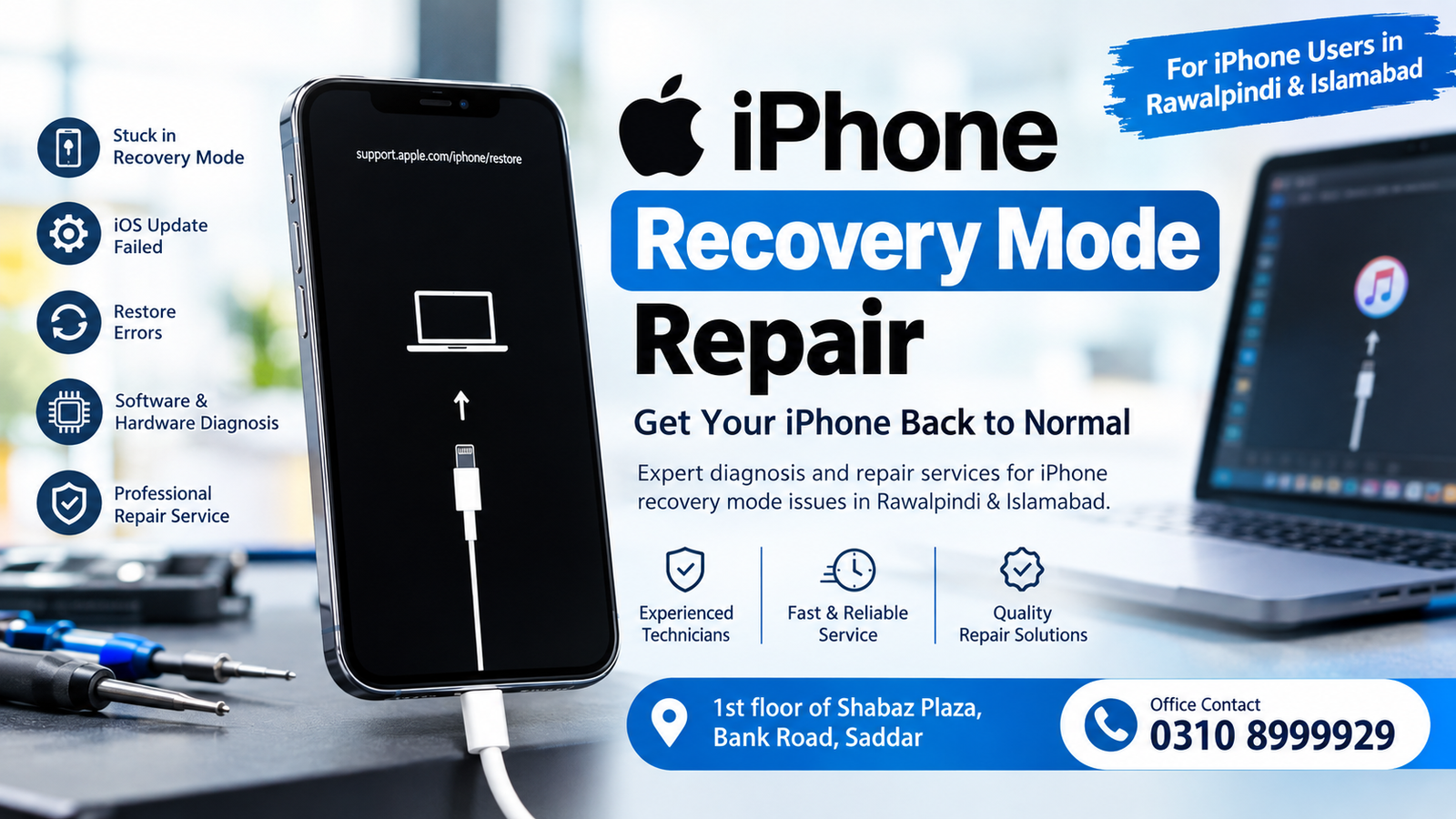
If your iPhone is stuck on the Recovery Mode screen, repeatedly showing the computer-and-cable symbol, or refusing to start normally, professional iPhone Recovery Mode Repair may be required. Recovery Mode can appear after failed updates, interrupted restores, software errors, storage problems, or certain hardware faults. When standard troubleshooting does not solve the issue, a proper diagnosis can help identify whether the problem is software-related or connected to the iPhone’s internal hardware.
For customers in Rawalpindi and Islamabad, Microsoldering Repairs or Microsoldering Service Centers provides diagnostic and repair services for iPhone problems, including recovery-mode issues. The office is located at 1st floor of Shabaz Plaza, Bank Road, Saddar.
Office Contact: 0310 8999929
What Is iPhone Recovery Mode?
Recovery Mode is a special troubleshooting state built into the iPhone. It allows the device to communicate with a computer so that software can be updated or restored when normal startup is not possible.
An iPhone may enter Recovery Mode because of:
- A failed iOS update
- An interrupted restore
- Corrupted system software
- Startup errors
- Storage-related problems
- Failed firmware installation
- Repeated boot failures
- Certain hardware or motherboard faults
If the iPhone exits Recovery Mode after a proper update or restart, there may not be a serious hardware issue. However, if it repeatedly returns to Recovery Mode, professional iPhone Recovery Mode Repair may be necessary.
iPhone Recovery Mode Repair in Rawalpindi
For customers looking for iPhone Recovery Mode Repair in Rawalpindi, proper diagnosis is important before replacing components or attempting repeated restores.
At Microsoldering Repairs or Microsoldering Service Centers, the repair process can begin with checking the device’s symptoms and determining whether the issue appears to be software-related or hardware-related.
Common symptoms include:
- iPhone stuck on recovery screen
- iPhone showing the cable-to-computer symbol
- iPhone restarting continuously
- iPhone failing during an iOS update
- iPhone unable to complete restoration
- iPhone returning to Recovery Mode after restarting
- iPhone showing errors during restore
- iPhone not booting normally
A diagnostic-first approach can help avoid unnecessary part replacement.
iPhone Recovery Mode Repair in Islamabad
Customers searching for iPhone Recovery Mode Repair in Islamabad may experience similar problems. An iPhone that repeatedly enters Recovery Mode should not automatically be assumed to have a software problem.
In some cases, an update or restore can resolve the issue. In other cases, repeated failure can indicate a deeper hardware problem.
Professional iPhone Recovery Mode Repair involves identifying the actual cause before deciding what repair is appropriate.
Why Does an iPhone Get Stuck in Recovery Mode?
There is no single reason why an iPhone becomes stuck in Recovery Mode. Several different problems can produce similar symptoms.
1. Failed iOS Update
An interrupted or unsuccessful iOS update can prevent the phone from completing startup. The device may remain on the Recovery Mode screen until the software problem is resolved.
2. Failed Restore
A restore process that stops unexpectedly can leave the iPhone unable to boot normally. Attempting another restore without identifying the reason for the failure may not solve the underlying issue.
3. Corrupted System Software
Damaged or incomplete system files can interfere with the startup process. In such cases, software recovery may be required.
4. Storage Problems
Severely limited or malfunctioning storage can sometimes contribute to update and startup failures.
5. Hardware Problems
If software recovery repeatedly fails, the problem may involve internal hardware. This is where specialist iPhone Recovery Mode Repair can become important.
6. Motherboard-Related Faults
The iPhone’s logic board contains critical circuits responsible for communication, power, storage, and startup. Damage to these circuits can sometimes cause repeated recovery or boot problems.
Signs You May Need Professional iPhone Recovery Mode Repair
Not every Recovery Mode situation requires hardware repair. However, professional assistance becomes more relevant when the iPhone continues showing the same problem after standard troubleshooting.
Look for symptoms such as:
- Recovery Mode appears repeatedly
- Update fails again and again
- Restore fails with an error
- iPhone restarts during the recovery process
- Computer cannot properly communicate with the iPhone
- Device was recently exposed to physical damage
- Device has a history of water exposure
- iPhone enters Recovery Mode after another repair
- The phone cannot complete the startup process
These symptoms can help a technician determine the next diagnostic step.
How iPhone Recovery Mode Repair Works
A professional iPhone Recovery Mode Repair process should start with diagnosis rather than immediate component replacement.
Step 1: Initial Inspection
The iPhone is inspected for visible damage, unusual behavior, previous repair signs, and other relevant symptoms.
Step 2: Recovery Mode Assessment
The device is connected to suitable diagnostic equipment to determine whether it can communicate correctly and whether the recovery process can proceed.
Step 3: Software Testing
Where appropriate, software recovery or update procedures may be attempted. The goal is to determine whether the problem can be resolved without hardware intervention.
Step 4: Error Analysis
If an update or restore fails, the displayed error and behavior can provide useful information about the possible cause.
Step 5: Hardware Diagnosis
If software procedures do not resolve the problem, further hardware-level diagnosis may be required.
Step 6: Repair Recommendation
After diagnosis, the customer can be informed about the identified issue and the appropriate repair approach.
Software vs Hardware Recovery Mode Problems
Understanding the difference between software and hardware problems can make iPhone Recovery Mode Repair easier to diagnose.
| Problem Type | Common Indications |
|---|---|
| Software issue | Failed update, corrupted iOS, unsuccessful restore |
| Storage issue | Update or restore problems, startup failures |
| Hardware issue | Repeated recovery mode, persistent restore failure |
| Logic board issue | Multiple related functions failing or repeated startup problems |
| Physical damage | Problems beginning after drops, liquid exposure, or previous repair |
These are general diagnostic categories rather than a guaranteed diagnosis. The same symptom can sometimes have different causes.
Can an iPhone Stuck in Recovery Mode Be Fixed?
In many cases, an iPhone stuck in Recovery Mode can be restored to normal operation, but the correct solution depends on the underlying cause.
If the issue is caused by temporary software corruption, an update or restore may resolve it. If the phone repeatedly fails during software recovery, additional diagnosis may be required.
That is why iPhone Recovery Mode Repair should focus on identifying the cause instead of simply repeating the same restore procedure.
Will Recovery Mode Repair Delete My Data?
Data preservation depends on the condition of the iPhone and the repair procedure required.
A software restore can erase the device, while some diagnostic or hardware-level repairs may not require a full restore. Customers should discuss data preservation before authorizing procedures that could erase the phone.
If the iPhone contains important photographs, documents, contacts, or other information, avoid repeatedly performing restores without understanding the potential consequences.
iPhone Recovery Mode After Water Damage
Water or liquid exposure can affect internal components and create unusual startup behavior. An iPhone exposed to liquid may develop problems that appear similar to software failures.
If Recovery Mode started after liquid exposure, professional diagnosis is especially important. Continuing to power or charge a liquid-damaged device can potentially make the situation worse.
For this type of iPhone Recovery Mode Repair, technicians may need to inspect internal components and the logic board.
iPhone Recovery Mode After a Drop
Physical impact can also contribute to startup problems. A phone may appear normal externally while internal components or connections have been affected.
If the Recovery Mode problem began immediately after a significant drop, tell the technician about the incident. This information can help narrow down the diagnostic process.
Why Choose Microsoldering Repairs or Microsoldering Service Centers?
Customers seeking iPhone Recovery Mode Repair in Rawalpindi and Islamabad can visit the repair office for diagnosis and service.
Service Location:
1st floor of Shabaz Plaza, Bank Road, Saddar
Office Contact:
0310 8999929
The focus should be on diagnosing the actual problem before deciding whether the iPhone requires software recovery, component-level work, or motherboard-related repair.
Common iPhone Recovery Mode Errors
Different restore and update errors can occur when an iPhone is connected to a computer. The error message itself can provide useful diagnostic information.
Common situations include:
- Restore stops before completion
- Update cannot be completed
- iPhone disconnects during recovery
- Computer fails to recognize the device correctly
- iPhone returns to Recovery Mode after restore
- Restore completes but the phone still does not boot
- Recovery process repeatedly fails
Because these symptoms can have multiple causes, an error code should be considered alongside the phone’s complete behavior.
iPhone Recovery Mode Repair for Different iPhone Models
Recovery Mode problems can affect many generations of iPhones. The exact diagnostic procedure can vary depending on the model and hardware architecture.
Whether the device is an older iPhone or a newer generation, the first step should be identifying why the phone cannot complete its normal startup sequence.
Professional iPhone Recovery Mode Repair can help determine whether the issue is related to software, storage, power, communication, or another internal component.
What Should You Do Before Bringing Your iPhone for Repair?
Before visiting a repair center, gather as much information as possible about the problem.
Tell the technician:
- When the problem started
- Whether the phone was updating
- Whether the phone was dropped
- Whether it was exposed to liquid
- Whether another repair was recently performed
- What error appeared during restoration
- Whether the phone was recognized by a computer
- Whether the problem occurs every time the device restarts
This information can make the initial diagnosis more efficient.
Avoid Repeated Restore Attempts
Repeatedly restoring an iPhone without understanding the problem may not resolve a persistent hardware fault. It can also create unnecessary data-loss risks.
If a normal update or recovery attempt has already failed several times, professional iPhone Recovery Mode Repair can help determine the next appropriate step.
iPhone Recovery Mode Repair Cost
The cost of iPhone Recovery Mode Repair depends on the cause of the problem.
A simple software recovery may require a different level of work than a motherboard-related issue. Likewise, liquid damage, physical damage, or component failure can affect the repair process.
For this reason, a fixed price cannot be accurately provided without diagnosing the device.
For local service information, contact the office at 0310 8999929 or visit:
Microsoldering Repairs or Microsoldering Service Centers
1st floor of Shabaz Plaza, Bank Road, Saddar
FAQs
What is iPhone Recovery Mode Repair?
iPhone Recovery Mode Repair is the process of diagnosing and resolving an iPhone that is stuck in Recovery Mode or repeatedly fails during update or restore procedures.
Why is my iPhone stuck in Recovery Mode?
An iPhone can become stuck because of failed software updates, corrupted system software, restore errors, storage problems, or hardware-related faults.
Can an iPhone stuck in Recovery Mode be repaired?
Yes, many Recovery Mode problems can be resolved, but the correct solution depends on whether the underlying issue is software or hardware related.
Where can I get iPhone Recovery Mode Repair in Rawalpindi?
Customers in Rawalpindi can visit Microsoldering Repairs or Microsoldering Service Centers at 1st floor of Shabaz Plaza, Bank Road, Saddar. The office contact number is 0310 8999929.
Is iPhone Recovery Mode Repair available in Islamabad?
Yes. Customers from Islamabad can also visit the service location in Saddar, Rawalpindi, for diagnosis and repair.
Will repairing Recovery Mode erase my data?
It depends on the procedure required. Some software restoration methods can erase data, while certain diagnostic and hardware repairs may not require a full restore.
Why does my iPhone keep returning to Recovery Mode?
Repeated Recovery Mode behavior can be caused by unresolved software problems, failed restoration, storage issues, or hardware faults. A proper diagnosis can help identify the cause.
Can water damage cause Recovery Mode problems?
Yes. Liquid exposure can affect internal components and may contribute to startup and recovery problems.
Can a damaged motherboard cause Recovery Mode problems?
Yes. Hardware faults involving the iPhone’s logic board can sometimes cause repeated startup or recovery failures.
How do I contact the repair office?
You can contact the office at 0310 8999929 or visit 1st floor of Shabaz Plaza, Bank Road, Saddar.
Final Thoughts
An iPhone stuck in Recovery Mode can be caused by anything from a failed software update to a deeper hardware problem. The most useful approach is to diagnose the device before deciding on a repair.
For customers searching for iPhone Recovery Mode Repair in Rawalpindi and Islamabad, Microsoldering Repairs or Microsoldering Service Centers provides a local option for diagnosis and repair.
Location: 1st floor of Shabaz Plaza, Bank Road, Saddar
Office Contact: 0310 8999929

