
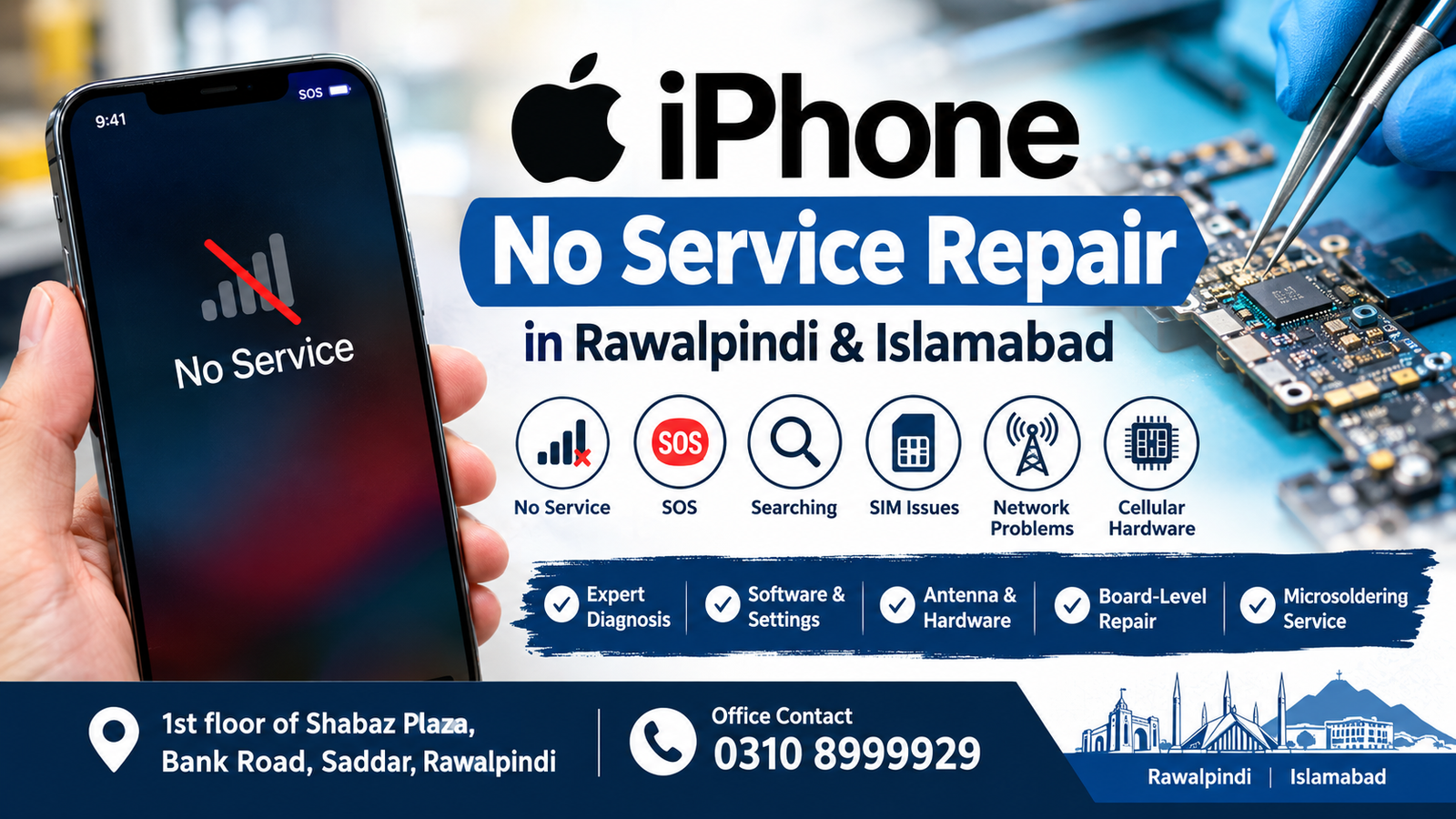
If your iPhone suddenly shows “No Service,” “Searching,” or “SOS”, you may have a cellular connectivity problem that needs professional diagnosis. iPhone No Service Repair covers the process of identifying whether the problem comes from the SIM card, network, software, carrier settings, antenna, internal connection, or motherboard.
For customers in Rawalpindi and Islamabad, professional microsoldering and board-level diagnostics are available at:
Microsoldering Repairs / Microsoldering Service Centers
Address: 1st floor of Shabaz Plaza, Bank Road, Saddar, Rawalpindi
Office Contact: 0310 8999929
A proper iPhone No Service Repair process should begin with diagnosis rather than immediately replacing expensive components.
What Does No Service Mean on an iPhone?
When an iPhone displays No Service, it means the device is not currently connected to a cellular network. Depending on the situation, the screen may also show Searching or SOS.
Several different problems can create the same message. Therefore, iPhone No Service Repair is not one single repair procedure. The correct solution depends on the cause.
Common causes include:
- SIM card problems
- Carrier issues
- Network outages
- Incorrect network settings
- Outdated carrier settings
- iOS software problems
- Antenna damage
- Physical damage
- Liquid exposure
- Cellular hardware faults
- Logic-board problems
Understanding the cause is the most important part of iPhone No Service Repair.
Common Reasons for iPhone No Service
1. Network or Carrier Problem
Before considering hardware service, check whether the mobile network is working normally.
Try another phone using the same network in the same location. If other devices also have no signal, the problem may be related to the carrier or local network.
In this situation, hardware iPhone No Service Repair may not be necessary.
2. SIM Card Problem
A damaged, inactive, or incorrectly installed SIM card can prevent cellular connectivity.
Remove the SIM, check it for visible damage, and reinstall it correctly. If possible, test another working SIM card.
If several known-working SIM cards produce the same result, professional iPhone No Service Repair may be appropriate.
3. Carrier Settings
Carrier settings help an iPhone communicate with a mobile network.
You can check for an available carrier update by opening:
Settings > General > About
If an update appears, install it and check the cellular connection again.
4. iOS Software Problem
Software issues can sometimes interfere with network functionality.
Check:
Settings > General > Software Update
Install an available update if appropriate.
If the phone continues displaying No Service after software troubleshooting, further iPhone No Service Repair diagnosis may be required.
5. Physical Damage
A dropped iPhone may develop cellular problems if internal components or connections are damaged.
If the network disappeared immediately after an impact, tell the technician about the incident.
This information can help during iPhone No Service Repair because physical damage changes the diagnostic direction.
6. Liquid Damage
Water or other liquids can affect electronic components and create corrosion.
If No Service started after liquid exposure, avoid experimenting with unofficial repairs.
Professional inspection can determine whether the cellular problem requires board-level iPhone No Service Repair.
iPhone No Service Repair After a Drop
A strong impact can affect internal components, connectors, antennas, or the logic board.
If your iPhone had normal cellular service before falling and immediately began showing No Service afterward, physical inspection is recommended.
A technician can examine the device and determine whether iPhone No Service Repair is required because of physical damage.
Do not repeatedly open the phone or attempt random component replacement. Incorrect work can create additional faults.
iPhone No Service Repair After Water Damage
Liquid damage can be more complicated because corrosion may continue developing after the initial exposure.
Symptoms may include:
- No Service
- Searching
- SOS
- Intermittent network
- SIM detection problems
- Mobile data failure
- Call failure
If these symptoms appeared after liquid exposure, iPhone No Service Repair should begin with an appropriate hardware inspection.
iPhone No Service Repair After Screen Replacement
Some customers report cellular problems after a screen replacement or other internal repair.
The timing alone does not prove that the previous repair caused the problem. However, previous repair history is important information.
When requesting iPhone No Service Repair, tell the technician whether the device has previously been opened or repaired.
This can help narrow down the possible causes.
iPhone No Service Repair After Battery Replacement
A battery replacement does not normally mean that cellular hardware must be repaired.
However, if No Service appeared immediately after internal work, the device should be inspected.
Professional iPhone No Service Repair can determine whether the problem is related to settings, software, an internal connection, or another hardware fault.
Motherboard Problems and Cellular Service
Modern iPhones contain complex logic boards with numerous tiny electronic components.
If basic troubleshooting fails and the cellular system is not operating correctly, the motherboard may need specialized diagnosis.
This is where board-level iPhone No Service Repair can become relevant.
A motherboard problem does not necessarily mean the entire board needs to be replaced. In some cases, a qualified microsoldering technician may be able to identify and repair a specific component or connection.
When Is Microsoldering Required?
Microsoldering should not be used automatically for every No Service problem.
It becomes relevant when diagnostic testing indicates a board-level issue.
Possible signs include:
- Multiple SIM cards produce the same problem
- Carrier confirms the account is active
- Network coverage is available
- Software troubleshooting has failed
- The device has physical damage
- The phone suffered liquid exposure
- Cellular service disappeared after previous repair
- The problem remains after basic configuration checks
These symptoms do not independently prove motherboard damage.
Proper iPhone No Service Repair diagnosis should establish whether board-level work is actually necessary.
iPhone No Service Repair in Rawalpindi
If you are searching for iPhone No Service Repair in Rawalpindi, professional diagnosis is available at Microsoldering Repairs / Microsoldering Service Centers.
Address:
1st floor of Shabaz Plaza, Bank Road, Saddar, Rawalpindi
Office Contact:
0310 8999929
The service can help investigate iPhones experiencing No Service, Searching, SOS, cellular connectivity problems, and suspected board-level faults.
Customers should contact the office before visiting if they want to explain the symptoms or arrange an inspection.
iPhone No Service Repair in Islamabad
Customers searching for iPhone No Service Repair in Islamabad can also contact the office and visit the repair location in Saddar, Rawalpindi.
The location is:
1st floor of Shabaz Plaza, Bank Road, Saddar, Rawalpindi
Phone: 0310 8999929
The service is accessible for customers from Islamabad who need professional diagnosis for persistent cellular problems.
A proper iPhone No Service Repair assessment can help distinguish between a network issue and a device-level fault.
How to Troubleshoot Before Repair
Before requesting iPhone No Service Repair, you can perform several basic checks.
Turn Airplane Mode On and Off
Turn Airplane Mode on for around 15 seconds and then turn it off.
This can refresh the phone’s cellular connection.
Restart the iPhone
Restart the device and wait for the network to reconnect.
Check the SIM
Remove and reinstall the physical SIM if your iPhone uses one.
If possible, test another working SIM.
Check Carrier Settings
Go to:
Settings > General > About
Wait for a possible carrier settings update.
Update iOS
Go to:
Settings > General > Software Update
Install an available update if appropriate.
Check Network Coverage
Check another phone using the same carrier.
If the second phone also has no network, contact the carrier before arranging iPhone No Service Repair.
How Professional Diagnosis Works
A professional iPhone No Service Repair process should be based on testing.
Step 1: Identify the Exact Message
The technician should determine whether the device displays:
- No Service
- Searching
- SOS
- No SIM
- Invalid SIM
Step 2: Check SIM and Network
The device can be tested with appropriate SIM and network conditions.
Step 3: Review Software
Relevant iOS and network settings can be checked.
Step 4: Examine Hardware
If software troubleshooting does not resolve the problem, hardware inspection may be required.
Step 5: Check the Logic Board
If evidence indicates a motherboard fault, specialized board-level diagnosis can be performed.
Step 6: Repair the Identified Fault
Once the cause is established, the appropriate iPhone No Service Repair method can be considered.
This approach helps prevent unnecessary replacement of working parts.
Why Proper Diagnosis Matters
A No Service message does not identify a particular failed component.
The same symptom can be caused by completely different issues.
For example, one phone may have a carrier problem while another may have physical motherboard damage.
That is why professional iPhone No Service Repair should focus on identifying the cause before repair.
A diagnostic process may consider:
- Carrier status
- SIM condition
- Network coverage
- iOS version
- Network settings
- Physical condition
- Liquid exposure
- Previous repairs
- Cellular hardware
- Logic-board components
Can Software Fix No Service?
Sometimes.
If the problem is related to network configuration, carrier settings, or software, troubleshooting may restore cellular service.
However, software cannot repair a physically damaged component.
If basic software troubleshooting fails, professional iPhone No Service Repair can help determine whether hardware inspection is required.
Can Resetting Network Settings Help?
Resetting network settings can sometimes resolve connectivity-related configuration problems.
However, it does not repair damaged hardware.
Before performing a reset, remember that saved Wi-Fi passwords and certain network configurations may be removed.
If the problem continues, iPhone No Service Repair may be necessary to investigate the device further.
No Service vs SOS
No Service and SOS can appear when an iPhone cannot establish normal cellular connectivity.
The exact behavior matters during diagnosis.
If your phone switches repeatedly between No Service, Searching, and SOS, tell the technician about the pattern.
This information can be useful during iPhone No Service Repair.
What Information Should You Provide?
When requesting iPhone No Service Repair, provide as much information as possible.
Useful details include:
- Exact iPhone model
- When the problem started
- Whether the phone was dropped
- Whether it contacted water
- Whether the phone was previously repaired
- Whether another SIM was tested
- Whether Wi-Fi works
- Whether the problem is constant
- Whether calls work
- Whether mobile data works
- Whether the phone displays SOS or Searching
Accurate information can make diagnosis more efficient.
iPhone No Service Repair for Different Models
Different iPhone generations have different internal hardware designs.
For this reason, the diagnostic process can vary from one model to another.
When requesting iPhone No Service Repair, always provide the exact model.
The technician can then consider the appropriate diagnostic procedure for that particular device.
Does No Service Always Mean Motherboard Damage?
No.
This is one of the most important points about iPhone No Service Repair.
No Service can be caused by:
- Network outages
- Carrier restrictions
- SIM problems
- Software issues
- Configuration problems
- Antenna-related problems
- Physical damage
- Cellular hardware faults
Motherboard damage is only one possible cause.
Professional testing is necessary before concluding that the logic board is faulty.
Can the Entire Motherboard Be Replaced?
A complete motherboard replacement should not automatically be assumed.
Depending on the fault, a technician may identify a specific board-level component or connection that requires attention.
This is why specialized iPhone No Service Repair can be useful for difficult cellular problems.
The appropriate solution depends on the actual diagnosis.
FAQs
What is iPhone No Service Repair?
iPhone No Service Repair is the process of diagnosing and resolving an iPhone that cannot connect normally to a cellular network.
Why does my iPhone say No Service?
Possible causes include network problems, SIM issues, carrier settings, software problems, physical damage, or cellular hardware faults.
Can a SIM card cause No Service?
Yes. A damaged or incorrectly functioning SIM can prevent an iPhone from connecting to a cellular network.
Can restarting fix No Service?
Restarting can sometimes resolve temporary software or connectivity issues. If the problem continues, further diagnosis may be required.
Can a dropped iPhone need professional repair?
Yes. If cellular service disappeared after an impact, the device may have internal or board-level damage that requires inspection.
Does water damage cause No Service?
Liquid exposure can damage electronic components and connections, potentially causing cellular problems.
Does every No Service problem require microsoldering?
No. Many cases are related to network, SIM, carrier, or software issues. Microsoldering is considered only when appropriate board-level damage is identified.
Where is iPhone No Service Repair available in Rawalpindi?
Microsoldering Repairs / Microsoldering Service Centers are located at 1st floor of Shabaz Plaza, Bank Road, Saddar, Rawalpindi.
Can Islamabad customers get service?
Yes. Customers from Islamabad can contact the office and visit the Rawalpindi location.
Office Contact: 0310 8999929
How long does the repair take?
The time depends on the cause. Simple software or configuration issues may require less time, while complex board-level diagnosis can require more detailed testing.
Contact for iPhone No Service Repair
If your iPhone continues to show No Service, Searching, or SOS after basic troubleshooting, professional iPhone No Service Repair can help identify the underlying problem.
Microsoldering Repairs / Microsoldering Service Centers
Address: 1st floor of Shabaz Plaza, Bank Road, Saddar, Rawalpindi
Office Contact: 0310 8999929
Customers from both Rawalpindi and Islamabad can contact the office before visiting.
Final Thoughts
An iPhone showing No Service does not automatically mean that the motherboard is damaged. The problem may come from the carrier, SIM card, network settings, software, antenna, physical damage, or cellular hardware.
Basic troubleshooting should be attempted first. If the issue continues, professional iPhone No Service Repair can determine whether the device needs software troubleshooting, component work, or board-level microsoldering.
For customers in Rawalpindi and Islamabad, Microsoldering Repairs / Microsoldering Service Centers are available at 1st floor of Shabaz Plaza, Bank Road, Saddar, Rawalpindi.
Office Contact: 0310 8999929
Proper diagnosis is the key to finding the appropriate solution for a persistent cellular problem.

