Is your phone not charging when you plug it into a charger? Does it charge slowly, stop charging unexpectedly, or fail to recognize the charging cable altogether? A phone that refuses to charge can be frustrating, especially when you rely on it for communication, work, navigation, and everyday activities.
There are several reasons why a mobile phone may not charging properly. Common causes include a damaged charging cable, a faulty adapter, a dirty charging port, a worn-out battery, software issues, or internal motherboard faults. Sometimes, the problem can be fixed with a simple adjustment, while other situations require professional mobile phone repair and microsoldering.
If you are experiencing charging problems in Rawalpindi or Islamabad, understanding the possible causes can help you identify the right solution and avoid unnecessary damage to your device.
Quick Answer: Why Is My Phone Not Charging?
A phone may not charging because of a damaged charging cable, a faulty power adapter, dust in the charging port, a worn-out battery, a software malfunction, or damaged charging circuitry.
Start by testing another compatible charger and checking the charging port for visible dirt or damage. Restart your phone and try a different power outlet. If your phone still does not charging, the issue may involve the charging port, battery connector, charging IC, or motherboard.
Professional diagnosis is recommended if the device still shows no charging response.
10 Common Reasons Why Your Phone Is Not Charging
Understanding the cause of a charging problem is the first step towards fixing it. Below are ten common reasons why smartphones stop charging.
1. Damaged Charging Cable
A damaged charging cable is one of the most common reasons a phone will not charging.
Charging cables experience regular bending, pulling, and twisting. Over time, their internal wires can be damaged even when the outer insulation looks normal.
Common signs of a faulty charging cable include:
- Your phone only charges when the cable is held at a particular angle.
- Charging starts and stops repeatedly.
- The charging cable feels loose or damaged.
- Your phone does not recognize the cable.
- Charging becomes unusually slow.
How to fix it:
Try another compatible charging cable that supports your phone’s charging requirements. If the replacement cable works correctly, the original cable is likely faulty.
Avoid using damaged or low-quality cables because they may cause unstable charging or overheating.
2. Faulty Charging Adapter
Sometimes, the charging cable is fine, but the power adapter isn’t supplying enough power.
A faulty adapter may fail to provide the required voltage or current. This can prevent your phone from charging or cause it to charge much more slowly than usual.
Possible signs include:
- No charging response.
- Extremely slow charging.
- Charging stops after a few minutes.
- The adapter becomes unusually hot.
- Your phone charges with another adapter.
Test your phone with a compatible, reliable charging adapter. Check whether the charging problem disappears.
If the adapter gets unusually hot, smells burnt, or makes strange noises, stop using it.
3. Dirty or Blocked Charging Port
Dust, lint, and other small particles can accumulate inside your phone’s charging port.
This is particularly common when phones are carried in pockets, handbags, or dusty environments. Over time, accumulated debris can prevent the charging cable from making proper contact with the charging connectors.
Signs of a dirty charging port include:
- The cable does not fit properly.
- Charging starts only when you move the connector.
- Your phone charges intermittently.
- The charging connection feels loose.
- The device does not recognize the charger.
How to fix it:
Inspect the charging port using a light. If you notice visible debris, have it cleaned carefully.
Avoid inserting needles, metal objects, or sharp tools into the charging port. These can damage delicate connectors and cause additional problems.
If cleaning does not solve the issue, the charging port may need professional inspection or replacement.
4. Damaged Charging Port
A charging port can become damaged through repeated use, accidental pulling, moisture exposure, or physical impact.
USB-C, Lightning, and Micro-USB charging connectors contain small contact points that can wear out or become damaged.
Common symptoms of a damaged charging port include:
- The charging cable does not stay connected.
- Your phone charges only at certain angles.
- The device does not respond to different chargers.
- Charging disconnects when the phone moves.
- The charging connector appears bent or damaged.
How to fix it:
A damaged charging port may require professional repair or replacement.
A technician should inspect the port, connector pins, and associated charging components before deciding whether replacement is necessary.
5. Weak or Damaged Battery
Your phone battery naturally loses capacity over time. After many charging cycles, it may become less efficient and struggle to accept or maintain a charge.
A damaged battery can also cause charging problems even when the charger and charging port are working correctly.
Warning signs include:
- Battery percentage remains unchanged.
- Phone switches off unexpectedly.
- Battery drains unusually quickly.
- Phone restarts while charging.
- Battery percentage jumps unexpectedly.
- Device becomes unusually hot.
How to fix it:
Battery health should be checked to determine whether the battery has deteriorated.
If the battery is faulty, replacing it with a compatible replacement battery may restore normal charging and improve battery performance.
If the battery is swollen, stop charging and using the phone. Do not press, puncture,e or attempt to remove it yourself.
6. Software Problems or Operating System Errors
Not every charging problem is caused by hardware.
Sometimes, an operating system error, background processes,s or software malfunction can interfere with charging indicators and battery management.
You may notice:
- Battery percentage does not update.
- Charging animation appears incorrectly.
- Phone freezes while charging.
- Battery information seems inaccurate.
- Charging behavior changes after a software update.
How to fix it:
Try restarting your phone first.
You can also check for available system updates and install them if appropriate.
If the problem started after installing an application or updating the operating system, further software diagnosis may be necessary.
Avoid performing a factory reset before backing up your important data.
7. Charging IC or Power Management IC Fault
The charging IC is an important component that controls the charging process.
It helps regulate power entering the phone and manages communication between the charging port, battery,ery and other power-related circuits.
If the charging IC becomes damaged, your phone may stop charging even when the charging port, cable, le and adapter are working correctly.
Common symptoms include:
- Phone does not charging with multiple working chargers.
- Charging percentage remains stuck.
- Device shows charging, but the battery percentage does not increase.
- Phone heats up near the motherboard.
- Charging stops unexpectedly.
- Device has no charging response.
How to fix it:
A charging IC problem requires professional motherboard-level diagnosis.
A trained technician can inspect the charging circuit, test relevant components, ts and determine whether the IC needs repair or replacement.
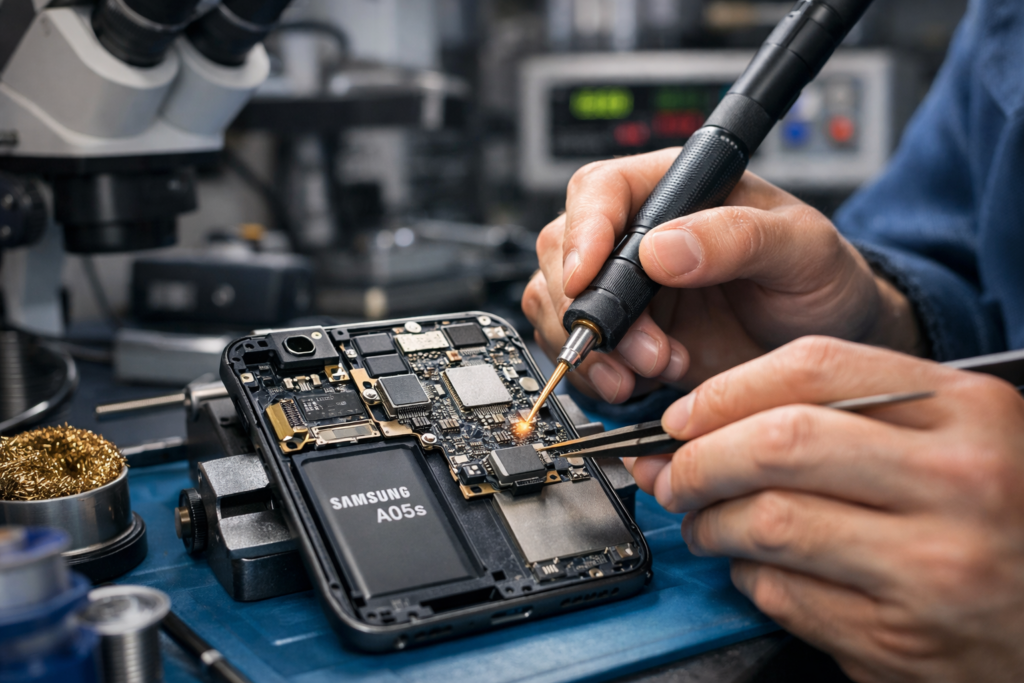
Microsoldering techniques may be required to repair damaged components at board level.
8. Water or Moisture Damage
Water and moisture can damage charging connectors and internal electronic components.
Even a small amount of liquid entering the charging port can cause corrosion, short circuits,s or charging interruptions.
Possible symptoms include:
- Moisture detection warnings.
- Charging stops after water exposure.
- Phone does not recognize the charger.
- The charging port develops corrosion.
- Device becomes unusually hot.
How to fix it:
Disconnect the charger immediately if you suspect moisture inside the device.
Do not attempt to charge a wet phone. Avoid using a hairdryer or inserting objects into the charging port.
If the phone has been exposed to liquid, professional inspection is recommended because corrosion can spread and cause further motherboard damage.
9. Overheating During Charging
Smartphones have built-in temperature protection systems designed to prevent battery and internal component damage.
If your phone becomes too hot, charging may slow down or stop temporarily.
Common reasons include:
- Using demanding applications while charging.
- Playing games for extended periods.
- Charging in direct sunlight.
- Using an unsuitable charger.
- Background applications consuming excessive power.
- Battery or motherboard faults.
How to fix it:
Disconnect the charger and allow the phone to cool naturally.
Close demanding applications and avoid heavy use while charging.
If overheating happens repeatedly, have the battery and charging circuitry inspected.
10. Motherboard or Charging Circuit Damage
The motherboard connects and controls many essential components inside a smartphone, including the charging system, battery, and power management circuits.
Physical damage, liquid exposure, electrical faults, or previous unsuccessful repairs can affect the motherboard.
Signs of motherboard-related charging problems include:
- Phone does not respond to any charger.
- Device repeatedly restarts during charging.
- Charging works intermittently.
- Phone becomes hot near the motherboard.
- Battery percentage does not increase.
- The charging port and battery have already been tested.
How to fix it:
Motherboard-related charging problems require detailed electronic diagnosis.
Depending on the fault, the repair may involve replacing damaged components, repairing broken connections, or performing microsoldering on the charging circuit.
A complete motherboard replacement is not always necessary. In some cases, repairing the affected circuit can restore normal functionality.
How to Fix a Phone That Is Not Charging: Step-by-Step Troubleshooting
Before arranging professional repair, you can try the following basic troubleshooting steps.
Step 1: Test Another Charging Cable
Connect your phone using another compatible charging cable.
If your phone starts charging normally, the original cable may be damaged.
Step 2: Change the Charging Adapter
Try another suitable power adapter.
Make sure the replacement adapter meets your phone’s charging requirements.
Step 3: Check the Charging Port
Inspect the charging port for visible dust, lint, or physical damage.
Do not use sharp or metallic objects to clean the connector.
Step 4: Restart Your Phone
A temporary software error can sometimes prevent the charging system from working correctly.
Restart your device and reconnect the charger.
Step 5: Try Another Power Outlet
A faulty wall socket or power extension can sometimes cause charging problems.
Try a different working electrical outlet.
Step 6: Allow Your Phone to Cool Down
If the device is hot, disconnect it and allow it to cool naturally before trying again.
Step 7: Check for Moisture Warnings
If your phone displays a liquid-detection warning, disconnect the charging cable and follow the manufacturer’s drying guidance.
Do not force the cable into the port.
Step 8: Get Professional Diagnosis
If none of these steps work, the problem may involve the battery, charging port, charging IC, or motherboard.
Professional diagnosis can help identify the exact fault and prevent unnecessary component replacement.
Why Is My Phone Charging Slowly?
Slow charging is another common smartphone problem.
Even if your phone recognizes the charger, several issues can prevent it from charging at its normal speed.
Common causes include:
- Using a low-power charging adapter.
- A damaged or incompatible charging cable.
- Dust inside the charging port.
- An aging battery.
- High background power consumption.
- Excessive device temperature.
- Faulty charging circuitry.
If your phone takes several hours to reach a full charge, testing another compatible charger is a good place to start.
If charging remains slow with different chargers, the device may require a battery or charging circuit inspection.
Why Does My Phone Show Charging but the Battery Percentage Does Not Increase?
This problem can be particularly confusing.
Your phone displays the charging symbol, but the battery percentage remains the same or decreases.
Possible causes include:
- A weak charging adapter.
- A damaged charging cable.
- A deteriorated battery.
- Excessive power consumption.
- Charging IC malfunction.
- Motherboard-level charging circuit damage.
If your phone consumes more power than it receives, the battery percentage may remain unchanged even while connected to a charger.
A professional inspection can determine whether the issue is related to the battery, power input, or charging circuitry.
Why Is My Phone Not Charging After a Battery Replacement?
If your phone stopped charging after a battery replacement, there could be an installation-related issue or an unrelated hardware fault.
Possible causes include:
- Incorrect battery installation.
- Loose battery connector.
- Damaged battery flex cable.
- Incompatible replacement battery.
- Damaged charging connector.
- Charging circuit fault.
The device should be inspected to ensure the battery connector and charging components are correctly connected and functioning.
Why Is My Phone Not Charging After Water Damage?
Water damage can affect multiple components, including the charging port, battery connector, and motherboard.
Even if your phone appears to work normally after getting wet, moisture may remain inside the device.
This can eventually cause corrosion and electrical shorts.
If your phone has suffered water damage:
- Disconnect the charger immediately.
- Switch the device off if it is safe to do so.
- Do not attempt to charge it.
- Avoid applying direct heat.
- Arrange professional inspection as soon as possible.
Early diagnosis can help prevent additional damage.
Can a Phone Charging Problem Be Repaired?
Yes. Many phone charging problems can be repaired, depending on the underlying fault.
The appropriate repair depends on which component is damaged.
| Charging Problem | Possible Repair |
|---|---|
| Damaged charging cable | Cable replacement |
| Faulty adapter | Adapter replacement |
| Dirty charging port | Professional port cleaning |
| Damaged charging port | Charging port replacement |
| Weak battery | Battery replacement |
| Charging IC fault | IC-level repair |
| Liquid damage | Corrosion inspection and repair |
| Motherboard fault | Component-level motherboard repair |
| Software malfunction | Software troubleshooting |
Not every charging issue requires expensive repairs or motherboard replacement. Proper diagnosis is important before carrying out any repair.
When Should You Visit a Professional Phone Repair Technician?
You should consider professional repair if:
- Your phone does not charging with multiple compatible chargers.
- The charging cable repeatedly disconnects.
- Your device becomes unusually hot while charging.
- The battery percentage does not increase.
- Your phone has suffered water damage.
- The charging port is physically damaged.
- Your phone switches off when connected to a charger.
- You suspect a charging IC or motherboard fault.
Continuing to use a faulty charging system can sometimes cause additional damage.
Getting the problem checked early can help protect your phone and reduce the risk of more complicated repairs.
Phone Charging Repair in Rawalpindi and Islamabad
If your mobile phone isn’t charging, getting the right diagnosis is essential.
Professional mobile phone repair services are available for common charging problems and complex motherboard-level faults.
Located on the 1st floor of Shabaz Plaza, Bank Road, Saddar, our repair service helps customers in Rawalpindi and Islamabad with smartphone charging problems.
Whether your phone has a damaged charging port, a faulty battery, a charging IC issue, or a motherboard-level problem, the first step is to identify the exact cause.
Mobile Phone Charging Problems We Can Help Diagnose
Our repair services cover a range of charging-related problems, including:
- iPhone not charging.
- Samsung phone not charging.
- Android phone charging problems.
- Charging port damage.
- Battery replacement requirements.
- Slow charging problems.
- Charging IC faults.
- Motherboard charging issues.
- Liquid-related charging faults.
- Intermittent charging problems.
Each device should be checked according to its model and symptoms before recommending a repair.
Why Proper Charging Diagnosis Matters
Replacing the wrong component can waste time and money.
For example, if the charging port is working correctly but the charging IC is damaged, replacing the charging port will not solve the underlying issue.
Proper diagnosis helps identify whether the fault is related to the charger, cable, battery, charging connector, or motherboard.
For more complex faults, microsoldering can help repair damaged electronic components without automatically replacing the entire motherboard.
FAQs
Why is my phone not charging even with a different charger?
If your phone does not charging with multiple compatible chargers, the issue may be related to the charging port, battery, charging IC, or motherboard. Professional diagnosis can help identify the exact fault.
How do I know if my phone charging port is damaged?
Common signs include loose cable connections, intermittent charging, no charging response, and needing to hold the cable at a particular angle.
Can a faulty battery stop my phone from charging?
Yes. A damaged or deteriorated battery may prevent normal charging. Battery testing can help determine whether replacement is necessary.
Why does my phone charge only when the cable is bent?
This often indicates a damaged cable or loose charging port connection. Try another compatible cable. If the issue continues, have the charging port inspected.
Why is my phone charging so slowly?
Slow charging can result from an unsuitable adapter, a damaged cable, a dirty charging port, a a weak battery, overheating,,, or charging circuit problems.
Can a charging IC be repaired?
In many cases, a faulty charging IC can be repaired or replaced by a qualified technician using appropriate board-level repair and microsoldering techniques.
Is it possible to repair a phone that does not charging at all?
Yes. Depending on the fault, repairs may include charging port replacement, battery replacement, connector repair, or motherboard-level component repair.
Get Your Phone Charging Problem Diagnosed
A phone that isn’t charging doesn’t necessarily need a new battery or an expensive motherboard replacement. The problem could be something as simple as a damaged cable or as complex as a faulty charging IC.
Identifying the correct cause is the most important step towards a reliable repair.
If you are experiencing phone charging problems in Rawalpindi or Islamabad, visit the 1st floor of Shabaz Plaza, Bank Road, Saddar, for professional repair assistance.
Contact Number: 0310 8999929
Address: 1st Floor, Shabaz Plaza, Bank Road, Saddar, Rawalpindi, Pakistan.
Get your phone inspected and find the right solution to restore its charging performance.