
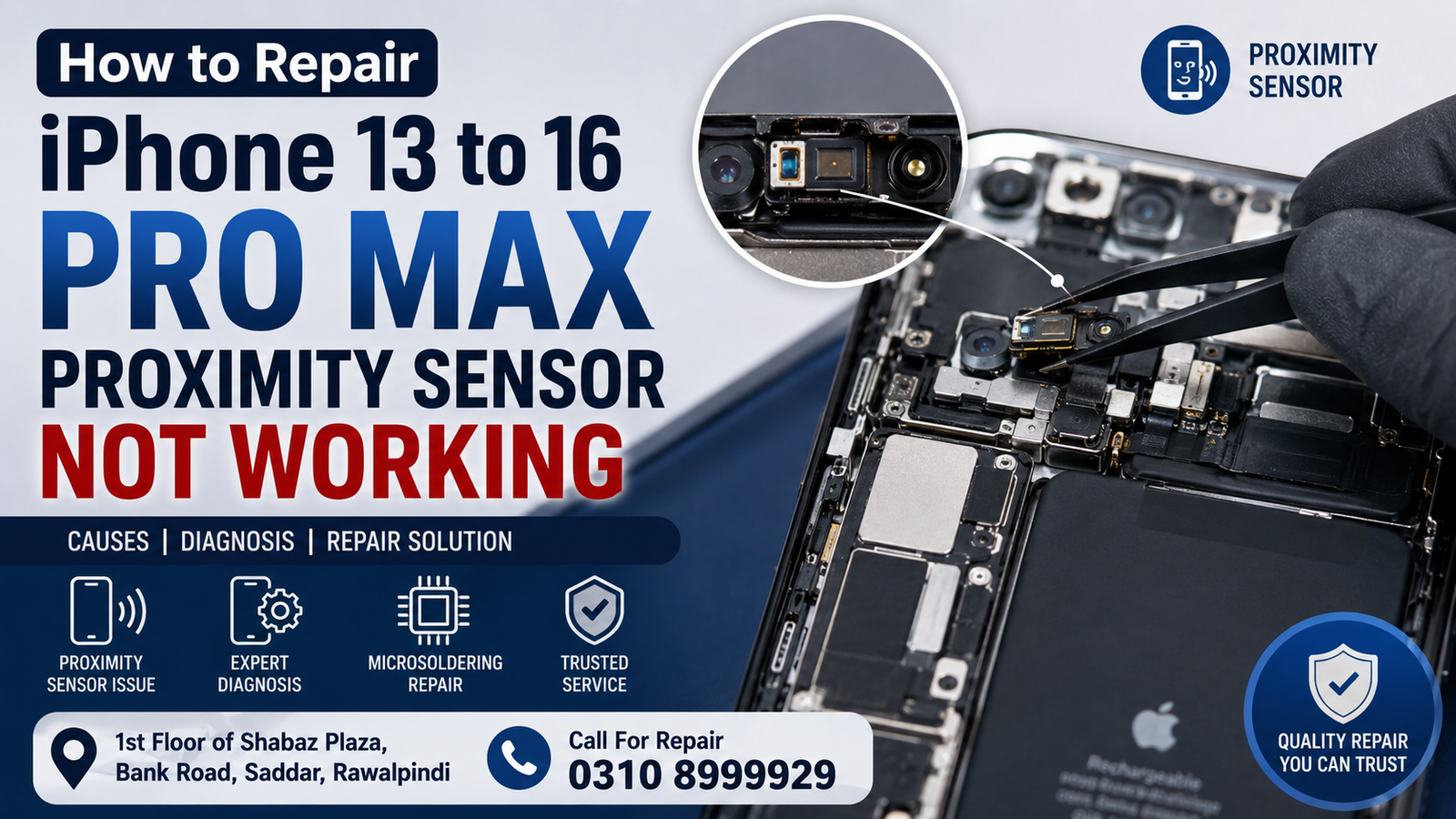
If the proximity sensor on your iPhone 13, iPhone 14, iPhone 15, or iPhone 16 Pro Max is not working, the problem can affect how the screen behaves during phone calls. The display may stay on when the phone is close to your face, causing accidental touches, or the screen may turn off unexpectedly.
In Rawalpindi and Islamabad, proximity sensor problems can sometimes be caused by a damaged screen assembly, incorrect screen installation, blocked sensor components, liquid damage, connector problems, or faults on the logic board. Professional diagnosis is recommended because newer iPhone models use tightly integrated front-sensor and display assemblies.
Quick Answer: How Do You Fix an iPhone Proximity Sensor That Is Not Working?
To repair an iPhone proximity sensor that is not working:
- Clean the area around the front speaker and sensor.
- Remove any screen protector or case that may interfere with the sensor.
- Restart the iPhone and test it during a phone call.
- Check whether the problem started after a screen replacement or repair.
- Inspect the display and front-sensor assembly for physical damage.
- Test the relevant connectors and components.
- If the issue persists, have the phone professionally diagnosed for display, sensor, flex, or logic board faults.
For iPhone 13 through iPhone 16 Pro Max models, simply replacing a component without proper diagnosis may not solve the problem. A professional technician should identify the actual cause before performing a repair.
What Is the Proximity Sensor on an iPhone?
The proximity sensor helps detect when your face is close to the phone during a call. When the sensor detects that the phone is near your face, the iPhone can turn the display off to prevent accidental touches.
A faulty proximity-sensing system can result in symptoms such as:
- The screen stays on during calls.
- Your cheek accidentally presses buttons on the screen.
- The display turns off at the wrong time.
- The screen does not respond normally when the phone is near your face.
- The problem begins immediately after a screen replacement.
- Face-related sensor functions may behave abnormally after damage or repair.
- The issue occurs after the phone has been dropped or exposed to liquid.
Why Is My iPhone 13-16 Pro Max Proximity Sensor Not Working?
There are several possible causes. The correct repair depends on which component or connection has failed.
1. Damaged or Incorrectly Installed Screen
A damaged display or improper installation can interfere with components around the top of the iPhone. If the proximity sensor stopped working after a screen replacement, the display installation should be inspected first.
Poor alignment, damaged components, incorrect transfer of parts, or pressure around the sensor area can contribute to problems.
2. Screen Protector Blocking the Sensor Area
Some screen protectors cover or interfere with the sensor area. Before considering hardware repair, remove the protector temporarily and test the phone again.
This is one of the easiest troubleshooting steps and can prevent an unnecessary repair.
3. Dust or Debris Around the Front Sensor Area
Dust, dirt, adhesive residue, or other material around the earpiece and sensor area can affect normal operation.
Carefully clean the phone’s exterior using an appropriate method. Avoid inserting sharp objects into the speaker or sensor openings.
4. Damage After a Drop
An iPhone can develop sensor-related problems after a significant impact even when the screen still appears normal.
A drop can damage:
- Display components
- Front sensor assemblies
- Connectors
- Flex cables
- Logic-board connections
- Small electronic components
A professional inspection can determine whether the problem is caused by physical damage.
5. Liquid Damage
Water or other liquid entering an iPhone can cause corrosion or electrical problems. Sensor-related failures can sometimes appear immediately or develop later as corrosion progresses.
If the problem started after exposure to liquid, avoid repeatedly charging or testing the device and arrange for a professional inspection.
6. Connector or Flex-Cable Problems
Modern iPhones contain delicate connectors and flex cables. A damaged, torn, improperly seated, or corroded connection can cause certain sensor functions to stop working.
This type of issue requires opening the device and testing the relevant hardware.
7. Logic Board Fault
If the display and external components appear to be working correctly, the problem may be associated with the iPhone’s logic board.
Logic-board faults can require specialist diagnostics and microsoldering rather than a simple parts replacement.
How to Troubleshoot the Proximity Sensor at Home
Before visiting a repair technician in Rawalpindi or Islamabad, you can perform a few basic checks.
Restart Your iPhone
Restart the iPhone and make a normal phone call. Place the top portion of the phone near your ear and check whether the display responds correctly.
A temporary software issue can sometimes disappear after a restart.
Remove the Screen Protector
Remove the screen protector and test the proximity function again.
If the sensor starts working normally, the protector may have been interfering with the sensor area.
Clean the Top of the Display
Check the area around the earpiece and front sensors for dust, dirt, fingerprints, or adhesive residue.
Clean the surface gently without pushing anything into the openings.
Test During a Normal Call
Make a regular cellular call and move the phone toward and away from your face.
Observe whether the display turns off and comes back on appropriately.
You can also test the behavior with a different call if necessary.
What If the Proximity Sensor Stopped Working After a Screen Replacement?
This is an important clue.
If your iPhone proximity sensor worked correctly before a display replacement but stopped working afterward, the display installation and associated components should be inspected.
Possible causes include:
- Incorrect screen installation
- Damaged flex cable
- Damaged sensor components
- Connector problems
- Misalignment
- Incorrectly transferred components
- Damage caused during disassembly
- A pre-existing fault revealed during the repair
Do not assume that replacing the screen again will automatically fix the problem. Proper diagnosis should come first.
iPhone 13 Proximity Sensor Repair
The iPhone 13 uses a sophisticated front-sensor and display system. If the proximity function stops working, the technician should check the display assembly, sensor area, connectors, and relevant circuitry.
If the phone has been repaired, the repair history is especially useful when diagnosing the problem.
iPhone 14 Proximity Sensor Repair
For iPhone 14 models, proximity-related problems can also be associated with display damage, sensor-area issues, connector issues, or board-level faults.
A technician should determine whether the issue is caused by an external component or a deeper hardware fault before recommending replacement.
iPhone 15 Proximity Sensor Repair
The iPhone 15 series contains increasingly integrated hardware, making proper diagnosis important.
If the proximity sensor stopped functioning following a screen replacement, drop, or liquid exposure, a professional inspection can help determine whether the issue is with the display assembly, connection, sensor-related hardware, or logic board.
iPhone 16 Pro Max Proximity Sensor Repair
The iPhone 16 Pro Max uses advanced front-facing hardware and a highly integrated design. A proximity-related fault should therefore be diagnosed carefully rather than repaired through trial-and-error parts replacement.
If the phone has suffered physical or liquid damage, board-level diagnostics may be required.
Can a Proximity Sensor Be Repaired Without Replacing the Entire iPhone?
Yes, depending on the cause.
A proximity-related problem does not automatically mean the entire iPhone needs to be replaced. A technician can diagnose the phone and determine whether the fault involves an accessible component, display assembly, connector, flex, or logic-board circuitry.
In some cases, board-level repair or microsoldering can be more appropriate than replacing an expensive assembly.
Why Professional Diagnosis Matters
Modern iPhones contain extremely small components and interconnected hardware. Replacing parts without identifying the actual fault can increase repair costs and may not resolve the original problem.
Professional diagnosis can help determine:
- Whether the problem is hardware or software related
- Whether the display is involved
- Whether connectors are damaged
- Whether liquid corrosion is present
- Whether the phone has suffered impact damage
- Whether the logic board requires further testing
- Whether a component-level repair is possible
iPhone Proximity Sensor Repair in Rawalpindi
If your iPhone 13, 14, 15, or 16 Pro Max proximity sensor is not working, professional repair is available in Rawalpindi.
The repair service is located at:
1st Floor of Shabaz Plaza, Bank Road, Saddar, Rawalpindi
For appointments and repair inquiries:
Call: 0310 8999929
Customers can bring the iPhone for diagnosis so the actual cause of the proximity sensor problem can be identified before repair.
iPhone Proximity Sensor Repair in Islamabad
Customers from Islamabad can also access professional iPhone hardware diagnosis and repair in the Saddar Rawalpindi area.
This can be convenient for people experiencing:
- iPhone proximity sensor failure
- Screen-related sensor problems
- iPhone display issues
- Front sensor problems
- Liquid damage
- Drop damage
- Connector faults
- Logic-board faults
- Microsoldering requirements
Call 0310 8999929 to discuss the issue and arrange an inspection.
What Does an iPhone Proximity Sensor Repair Involve?
The exact repair process depends on the diagnosis. A professional technician may:
- Examine the phone externally.
- Check the display and sensor area.
- Test the proximity function during calls.
- Check for signs of previous repairs.
- Inspect connectors and flex cables.
- Check for liquid or impact damage.
- Test relevant hardware.
- Diagnose possible logic-board faults.
- Determine whether component-level repair is appropriate.
- Test the iPhone after the repair.
The objective is to repair the underlying problem rather than replace parts unnecessarily.
Common Symptoms of a Faulty iPhone Proximity Sensor
You may have a proximity-related issue if:
- The screen remains active while making a call.
- Your face accidentally activates buttons during calls.
- The screen switches off even when the phone isn’t near your face.
- The problem started after replacing the display.
- The problem appeared after the iPhone was dropped.
- The issue started following liquid exposure.
- Other front-facing functions are also behaving unusually.
These symptoms do not always prove that the proximity sensor itself is defective. Professional testing is necessary to determine the actual cause.
FAQs
How do I fix the proximity sensor on my iPhone?
Start by removing the screen protector, cleaning the sensor area, restarting the iPhone, and testing it during a call. If the problem continues, professional hardware diagnosis is recommended.
Why does my iPhone screen stay on during a call?
A blocked or faulty proximity-sensing system can prevent the display from detecting when the phone is close to your face. Display damage, sensor-area issues, connector problems, and other hardware faults can also be involved.
Why did my iPhone proximity sensor stop working after screen replacement?
The repair may have affected the sensor area, display assembly, flex cable, connector, or related components. The phone should be inspected rather than immediately replacing another screen.
Can a damaged iPhone proximity sensor be repaired?
In many cases, the underlying fault can be repaired, but the solution depends on the damaged component. Some problems may require component replacement, while others may require board-level repair.
Does a screen protector affect the proximity sensor?
It can, particularly if it is incorrectly positioned or covers the sensor area. Removing the protector and testing the phone is a simple troubleshooting step.
Can water damage cause problems with proximity sensors?
Yes. Liquid can cause corrosion and electrical faults that affect sensor-related hardware and other components.
Is a proximity sensor repair for the iPhone 16 Pro Max possible?
A proximity-related hardware problem on an iPhone 16 Pro Max should be professionally diagnosed. The repair may involve the display assembly, connectors, sensor-related hardware, or board-level circuitry depending on the fault.
Where can I get iPhone proximity sensor repair in Rawalpindi?
Professional iPhone diagnosis and repair are available on the 1st Floor of Shabaz Plaza, Bank Road, Saddar, Rawalpindi. Call 0310 8999929 for repair enquiries.
Can customers from Islamabad get iPhone proximity sensor repair?
Yes. Customers from Islamabad can visit the Rawalpindi location in Saddar for iPhone hardware diagnosis and repair.
Final Thoughts
A proximity sensor that is not working on an iPhone 13, iPhone 14, iPhone 15, or iPhone 16 Pro Max can be caused by something as simple as a screen protector or contamination. Still, it can also indicate display, connector, flex, liquid damage, or logic board problems.
The best approach is to begin with basic troubleshooting, then have the device professionally diagnosed if the issue persists. Avoid unnecessary parts replacement until the actual fault has been identified.
For iPhone proximity sensor diagnosis and repair in Rawalpindi and Islamabad, visit the 1st Floor of Shabaz Plaza, Bank Road, Saddar, Rawalpindi, or call 0310 8999929.

