
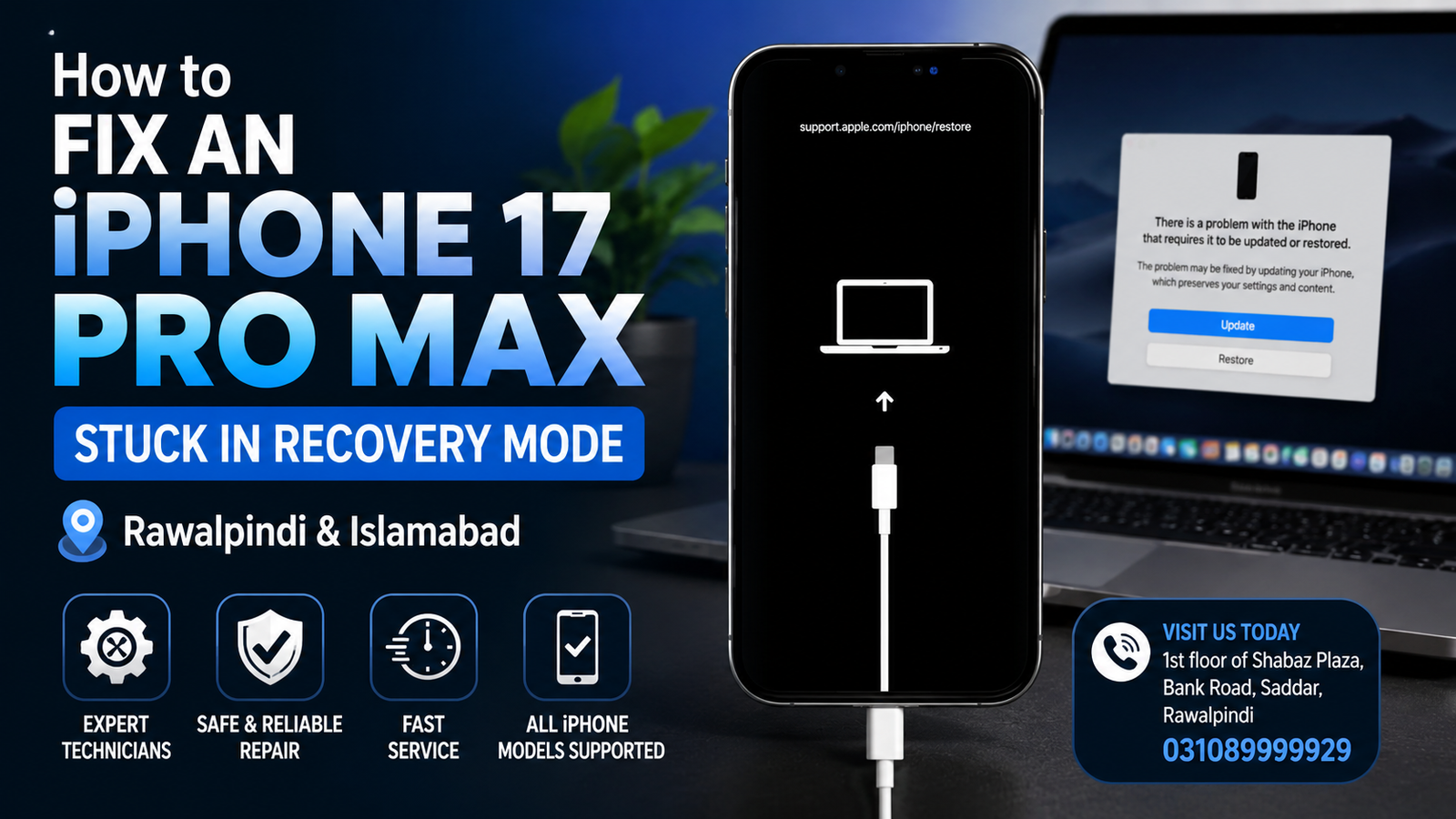
If your iPhone 17 Pro Max is stuck on the recovery mode screen showing a computer and cable icon, the device is telling you that iOS needs to be recovered or updated before the iPhone can start normally. This problem can happen after an interrupted iOS update, failed restore, software corruption, insufficient storage, or sometimes a hardware-related fault.
For iPhone users in Rawalpindi and Islamabad, professional iPhone repair can help when standard recovery steps do not bring the device back to normal.
Need iPhone recovery mode repair in Rawalpindi or Islamabad? Visit us at 1st floor of Shabaz Plaza, Bank Road, Saddar, or call 03108999929 for assistance.
What Does the Computer and Cable Icon Mean on an iPhone 17 Pro Max?
The computer and cable icon means your iPhone 17 Pro Max has entered Recovery Mode. In this state, the iPhone cannot boot into the normal iOS interface and is waiting for a computer-based update or restore process.
You may see the recovery screen after:
- An iOS update fails
- An iPhone restore is interrupted
- The battery dies during an update
- iOS becomes corrupted
- A computer disconnects during a restore
- The iPhone experiences a serious software error
- Internal storage or logic-board problems affect the boot process
Recovery Mode itself does not necessarily mean that the iPhone is permanently damaged. In many cases, the problem can be resolved with the correct software recovery procedure.
How to Fix an iPhone 17 Pro Max Stuck in Recovery Mode
Try the following solutions in order. Start with the least destructive method before considering a full restore.
1. Force Restart the iPhone 17 Pro Max
A force restart can sometimes remove the iPhone from recovery mode if the issue is temporary.
Follow these steps:
- Quickly press and release the Volume Up button.
- Quickly press and release the Volume Down button.
- Press and hold the Side button.
- Continue holding the Side button until the Apple logo appears.
Do not release the Side button too quickly. If the phone returns to the computer and cable screen, continue with the next troubleshooting method.
2. Connect the iPhone to a Computer
If the recovery screen remains visible, connect the iPhone 17 Pro Max to a trusted computer using a suitable USB-C cable.
Depending on the computer, you may need to use the appropriate Apple device-management software to communicate with the iPhone.
Make sure:
- The cable is working properly
- The USB port is functioning
- The computer recognizes the iPhone
- The iPhone remains connected during the process
- The computer has a stable internet connection if software needs to be downloaded
Avoid disconnecting the iPhone while an update or restore is in progress.
3. Choose Update Before Restore
When the computer detects an iPhone in recovery mode, you may be offered options to Update or Restore.
If available, try Update first.
An update attempts to reinstall or repair iOS while preserving your personal data. It is generally preferable to a restore when you want to avoid unnecessary data loss.
If the update completes successfully, the iPhone should restart and attempt to boot normally.
Important:
Do not immediately choose Restore if you have important photos, messages, documents, or other data that is not backed up.
A restore can erase the contents of the iPhone.
4. Check the USB-C Cable and Connection
A damaged or unreliable cable can interrupt communication between an iPhone 17 Pro Max and a computer.
If the computer repeatedly loses connection to the iPhone, check:
- USB-C cable condition
- USB-C connector
- Computer USB port
- Dust or debris around the iPhone port
- Connection stability
- Computer software
A poor connection during recovery can cause the process to fail repeatedly.
5. Try a Different Computer
If the iPhone is not being detected correctly, another computer can help determine whether the problem is related to the original computer.
A different computer can be useful when:
- The iPhone is not recognized
- Recovery software repeatedly fails
- The update download is interrupted
- The computer reports an unknown error
- The connection keeps disconnecting
If the same problem occurs on multiple computers, the issue may require further diagnosis.
6. Check Whether the iPhone Has Enough Storage
Severe storage problems can contribute to iOS update and boot failures.
If the iPhone previously had extremely low available storage and became stuck during an update, simply repeating the same recovery process may not resolve the underlying issue.
In this situation, professional diagnosis may be necessary, particularly if the phone cannot boot far enough to manage its storage normally.
7. Consider DFU Mode When Recovery Mode Does Not Work
If normal Recovery Mode procedures fail, a deeper firmware-level recovery procedure may sometimes be appropriate.
DFU Mode is different from standard Recovery Mode. It allows a computer to communicate with the iPhone at a lower level for firmware-related recovery.
DFU procedures should be performed carefully because incorrect button timing or an interrupted process can create additional problems.
If your iPhone 17 Pro Max repeatedly returns to recovery mode, professional assistance is recommended before repeatedly attempting restores.
Why Does My iPhone 17 Pro Max Keep Returning to Recovery Mode?
If the iPhone successfully completes an update but immediately returns to the computer and cable screen, the problem may be more complicated than a temporary software crash.
Possible causes include:
- Corrupted iOS installation
- Failed firmware update
- Incomplete restore
- Storage-related problems
- USB communication problems
- Charging-port faults
- Power-management problems
- Internal hardware failure
- Logic-board-related issues
When software recovery repeatedly fails, the phone should be diagnosed rather than continuously restored.
What If the iPhone 17 Pro Max Is Not Detected by the Computer?
If your iPhone shows the recovery screen but the computer does not detect it, check the physical connection first.
Try:
- Disconnect and reconnect the cable.
- Inspect the USB-C port for visible debris.
- Try another compatible cable.
- Try another USB port.
- Restart the computer.
- Try another computer.
- Check whether the iPhone changes its behavior when connected.
If the phone remains completely undetected, the issue may involve the charging/data connection or an internal hardware fault.
Can an iPhone 17 Pro Max Stuck in Recovery Mode Be Repaired Without Losing Data?
Sometimes, yes.
If the issue is caused by a software problem and an iOS update successfully repairs the operating system, personal data may remain intact.
However, there is no guarantee that data can always be preserved. If the iPhone requires a full restore, its contents may be erased.
For this reason, avoid repeatedly selecting Restore when important data is stored on the device and no backup is available.
When Should You Get Professional iPhone Repair?
Professional diagnosis is recommended if:
- The iPhone remains stuck in Recovery Mode
- Force restart does not work
- The update repeatedly fails
- The computer cannot detect the phone
- The iPhone disconnects during recovery
- The device restarts continuously
- The phone was dropped before the problem started
- The iPhone was exposed to liquid
- Recovery errors continue after trying different cables and computers
- You have important data that you do not want to risk losing
A repair technician can determine whether the problem is primarily software-related or whether further hardware diagnosis is required.
iPhone 17 Pro Max Recovery Mode Repair in Rawalpindi
If you are searching for iPhone 17 Pro Max recovery mode repair in Rawalpindi, professional assistance is available in Saddar.
We can help diagnose iPhones that are:
- Stuck on the computer and cable screen
- Unable to boot into iOS
- Repeatedly entering Recovery Mode
- Failing during an iOS update
- Not being recognized by a computer
- Experiencing repeated restore errors
Location: 1st floor of Shabaz Plaza, Bank Road, Saddar, Rawalpindi
Phone: 03108999929
iPhone 17 Pro Max Recovery Mode Repair in Islamabad
Customers from Islamabad can also visit the Saddar Rawalpindi location for iPhone troubleshooting and repair.
If your iPhone 17 Pro Max displays the computer and cable icon, do not assume that the phone is permanently damaged. A proper diagnosis can determine whether the problem can be resolved through software recovery or requires hardware-level investigation.
Why Choose Professional Diagnosis?
Recovery-mode problems can have several possible causes. Simply restoring the phone repeatedly may not solve the underlying problem.
Professional diagnosis can help identify whether the issue is related to:
- iOS software
- Firmware
- USB-C communication
- Charging port
- Power delivery
- Internal storage
- Logic board
- Other internal components
The correct repair approach depends on the actual cause of the failure.
FAQs
Why is my iPhone 17 Pro Max showing a computer and cable icon?
The computer and cable icon indicates that the iPhone has entered Recovery Mode. It normally means that the device needs to communicate with a computer for an iOS update or restore.
How do I get my iPhone 17 Pro Max out of Recovery Mode?
Try a force restart first. If it remains in Recovery Mode, connect it to a computer and attempt an iOS update. If recovery continues to fail, professional diagnosis may be required.
Will Recovery Mode erase my iPhone?
Entering Recovery Mode itself does not necessarily erase your data. However, choosing a full restore can erase the iPhone. Try an Update option first when available.
Why does my iPhone keep going back to Recovery Mode?
Repeated Recovery Mode problems can be caused by corrupted iOS, failed updates, connection problems, storage issues, or hardware faults.
Can a recovery-mode iPhone be repaired?
Yes. Many Recovery Mode problems are software-related and can be resolved. If software recovery fails repeatedly, hardware diagnosis may be necessary.
Is DFU Mode different from Recovery Mode?
Yes. DFU Mode provides a lower-level method of communicating with the iPhone for firmware recovery. It is more advanced than standard Recovery Mode.
My computer does not recognize my iPhone 17 Pro Max. What should I do?
Check the USB-C cable, computer port, iPhone port, and computer software. Trying another compatible cable or computer can help identify a connection problem.
Where can I get iPhone 17 Pro Max recovery mode repair in Rawalpindi?
For professional assistance, visit 1st floor of Shabaz Plaza, Bank Road, Saddar, Rawalpindi, or call 03108999929.
iPhone 17 Pro Max Recovery Mode Repair — Rawalpindi & Islamabad
A computer and cable icon on an iPhone 17 Pro Max does not automatically mean the device is beyond repair. Start with a force restart and, if necessary, connect the phone to a computer and try an iOS update before considering a complete restore.
If the iPhone remains stuck, repeatedly fails during recovery, or is not detected by a computer, professional diagnosis can help identify the actual cause without unnecessarily repeating potentially destructive procedures.
For iPhone 17 Pro Max recovery mode repair in Rawalpindi and Islamabad:
Address: 1st floor of Shabaz Plaza, Bank Road, Saddar, Rawalpindi
Contact: 03108999929

